ESP8266 Digital Alarm Clock with DS1302 RTC and LCD I2C
Tutorial plan
1- Objective of the project
2- Required Components
3- Circuit Connections of system
4- Micropython program of ESP8266 Alarm Clock
Objective of the project
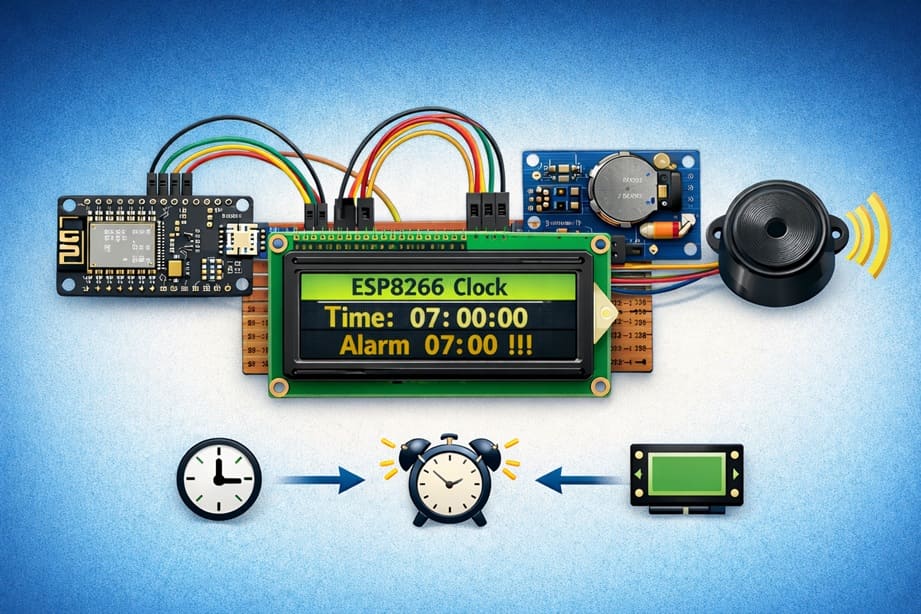
This project aims to build a digital alarm clock using the ESP8266, DS1302 RTC module, LCD I2C display, and a buzzer.
The system displays the current time in real-time and activates an alarm sound when the preset alarm time is reached. It is a practical embedded systems project that demonstrates how to interface a microcontroller with a real-time clock and output devices.
Working Principle
The DS1302 RTC module keeps track of the current time (hours, minutes, and seconds), even when power is disconnected thanks to its backup battery.
The ESP8266 reads the time from the RTC and displays it on the LCD I2C screen in digital format. At the same time, it continuously compares the current time with the preset alarm time.
When both times match, the buzzer is activated and an alarm message is displayed on the LCD. The system then continues running and updating the time automatically.
This project shows how to create a simple and reliable standalone alarm clock using ESP8266.
Required Components
1. ESP8266 NodeMCU
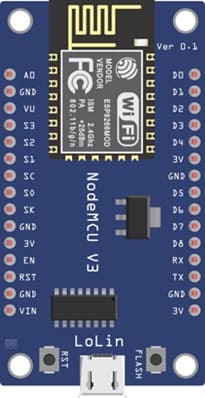
The ESP8266 NodeMCU, developed by Espressif Systems, is the main microcontroller of the system. It reads the current time from the RTC module, displays it on the LCD, and controls the buzzer when the alarm time is reached.
2. DS1302 RTC Module
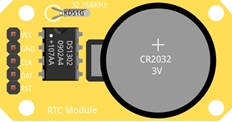
The DS1302 is a Real-Time Clock (RTC) module used to keep track of the current time and date. It can maintain accurate time even when the ESP82866 is powered off because it uses a backup battery. It provides information such as year, month, day, hour, minute, and second. The ESP8266 reads this data through digital communication pins.
4. Buzzer
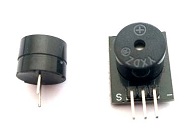
The buzzer is an output device that produces sound when the alarm time is reached. It alerts the user that the preset alarm time has occurred. The ESP8266 activates the buzzer by sending a digital signal.
4. LCD Display with I2C Module

he LCD I2C display is used to show the current time and alarm messages.
5. Breadboard
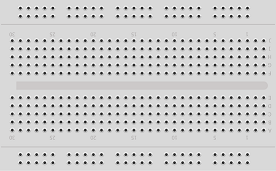
The breadboard is used to assemble the circuit without soldering. It makes it easy to connect and modify components during testing and development.
6. Jumper Wires

The jumper wires are used to connect the ESP8266 with the RTC module, LCD display, and buzzer. They ensure proper electrical connections between all components.
Circuit Connections of system
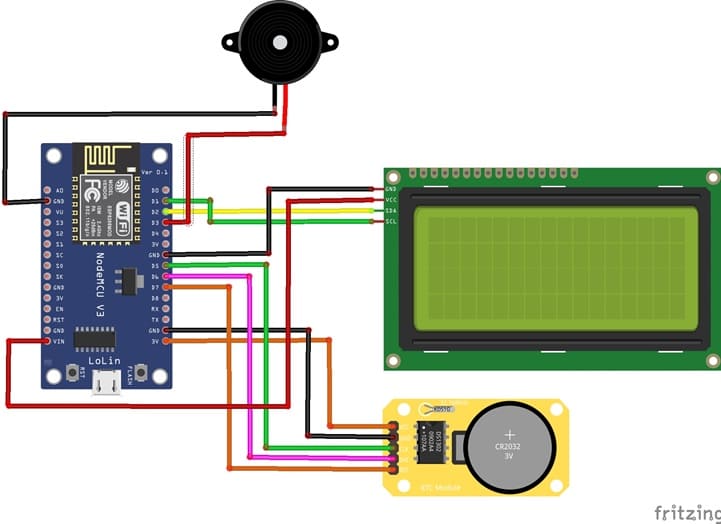
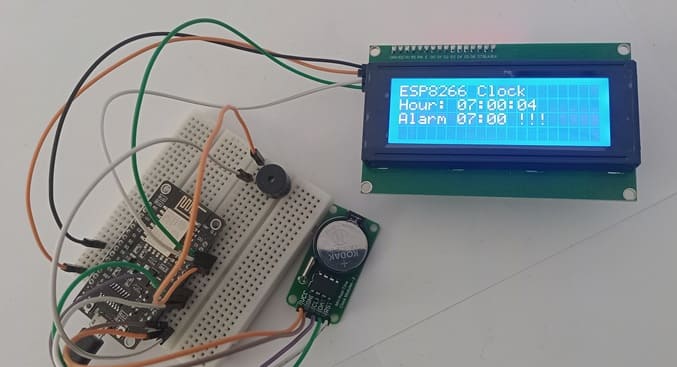
1- Connection of DS1302 RTC Module to ESP8266
| DS1302 RTC | ESP8266 NodeMCU |
|---|---|
| CLK | D5 (GPIO 14) |
| DAT | D6 (GPIO 12) |
| RST | D7 (GPIO 14) |
| VCC | 3V |
| GND | GND |
2- Connection of LCD I2C display to ESP8266
| LCD display | ESP8266 NodeMCU |
|---|---|
| VCC | VIN |
| GND | GND |
| SDA | D2 (GPIO4) |
| SCL | D1 (GPIO5) |
3- Connection of Buzzer to ESP8266 NodeMCU
| Buzzer | ESP8266 NodeMCU |
|---|---|
| Pin (+) | D0 (GPIO 0) |
| Pin (-) | GND |
Micropython program of ESP8266 Alarm Clock
This program implements a digital alarm clock system using an ESP8266 NodeMCU, a DS1302 RTC module, an I2C LCD display, and a buzzer.
You need to install this libraries :
i2c_lcd et lcd_api for I2C LCD screen
ds1302 for DS1302 RTC module
|
1 2 3 4 5 6 7 8 9 10 11 12 13 14 15 16 17 18 19 20 21 22 23 24 25 26 27 28 29 30 31 32 33 34 35 36 37 38 39 40 41 42 43 44 45 46 47 48 49 50 51 52 53 54 55 56 57 58 59 60 61 62 63 64 65 66 67 68 69 70 71 72 73 74 75 76 77 78 79 80 81 82 83 84 85 86 87 88 89 90 91 92 93 94 95 96 97 98 99 100 101 102 103 104 105 106 107 108 109 110 111 112 113 114 115 116 117 118 119 120 121 122 123 124 125 126 127 128 129 130 131 132 133 134 135 |
# Import the Pin class to control GPIO pins # and the I2C class for communication with the LCD display from machine import Pin, I2C # Import the library used to control the I2C LCD display from i2c_lcd import I2cLcd # Import the DS1302 RTC (Real-Time Clock) module library import ds1302 # Import the time library to create delays import time # ================= LCD I2C CONFIGURATION ================= # I2C address of the LCD display (commonly 0x27 or 0x3F) I2C_ADDR = 0x27 # Initialize the LCD display: # I2C(0) → I2C bus number 0 # scl=Pin(22) → GPIO22 used as I2C clock line # sda=Pin(21) → GPIO21 used as I2C data line # 4, 20 → LCD with 4 rows and 20 columns lcd = I2cLcd(I2C(0, scl=Pin(22), sda=Pin(21)), I2C_ADDR, 4, 20) # Clear the LCD screen lcd.clear() # ================= DS1302 RTC MODULE CONFIGURATION ================= # Define the GPIO pins connected to the RTC module clk = Pin(19) # CLK pin (clock signal) dat = Pin(18) # DAT pin (data line) rst = Pin(5) # RST pin (reset signal) # Create the RTC object to communicate with the DS1302 module rtc = ds1302.DS1302(clk, dat, rst) # ⚠️ IMPORTANT: # This line sets the date and time of the RTC module. # Run this line ONLY ONCE, then comment it, # otherwise the time will reset every time the ESP32 restarts. rtc.date_time([2026, 2, 6, 5, 6, 59, 55]) # Format: [year, month, day, weekday, hour, minute, second] # ================= BUZZER CONFIGURATION ================= # Configure GPIO23 as an output pin to control the buzzer buzzer = Pin(23, Pin.OUT) # buzzer.value(0) → turn buzzer OFF # buzzer.value(1) → turn buzzer ON # ================= MAIN PROGRAM ================= # Infinite loop to keep the clock running continuously while True: # Read the current date and time from the RTC module t = rtc.date_time() # The list t contains: # t[0] = year # t[1] = month # t[2] = day # t[3] = weekday # t[4] = hour # t[5] = minute # t[6] = second # Display the title on the first line of the LCD lcd.move_to(0, 0) lcd.putstr("ESP32 Clock") # Display the current time on the second line lcd.move_to(0, 1) # {:02d} ensures numbers are always displayed with two digits # Example: 07 instead of 7 lcd.putstr("Hour: {:02d}:{:02d}:{:02d}".format(t[4], t[5], t[6])) # ================= ALARM CHECK ================= # Check if the current time is exactly 07:00:00 if (t[4] == 7) and (t[5] == 0) and (t[6] == 0): lcd.move_to(0, 1) # Repeat the alarm 10 times for i in range(10): # Read the current time again t = rtc.date_time() # Display the updated time lcd.move_to(0, 1) lcd.putstr("Hour: {:02d}:{:02d}:{:02d}".format(t[4], t[5], t[6])) # Display the alarm message on the third line lcd.move_to(0, 2) lcd.putstr('Alarm 07:00 !!!') # Turn the buzzer ON buzzer.value(1) # Wait for 1 second time.sleep(1) # Read the time again t = rtc.date_time() # Display the updated time lcd.move_to(0, 1) lcd.putstr("Hour: {:02d}:{:02d}:{:02d}".format(t[4], t[5], t[6])) # Clear the alarm message lcd.move_to(0, 2) lcd.putstr(' ') # Turn the buzzer OFF buzzer.value(0) # Wait for 1 second time.sleep(1) |
0 comment
Leave a comment
Passion for robotics

Recent tutorials

Robotics workshop

Polpular tutorials




Making robots

Most commented tutorials



Robotic arm

Categories
Smart Home