DIY coin dispensing machine using ESP32 board
Tutorial plan
1- Objective of the project
2- Required Components
3- Circuit Connections of system
4- Micropython program of ESP32
Objective of the project
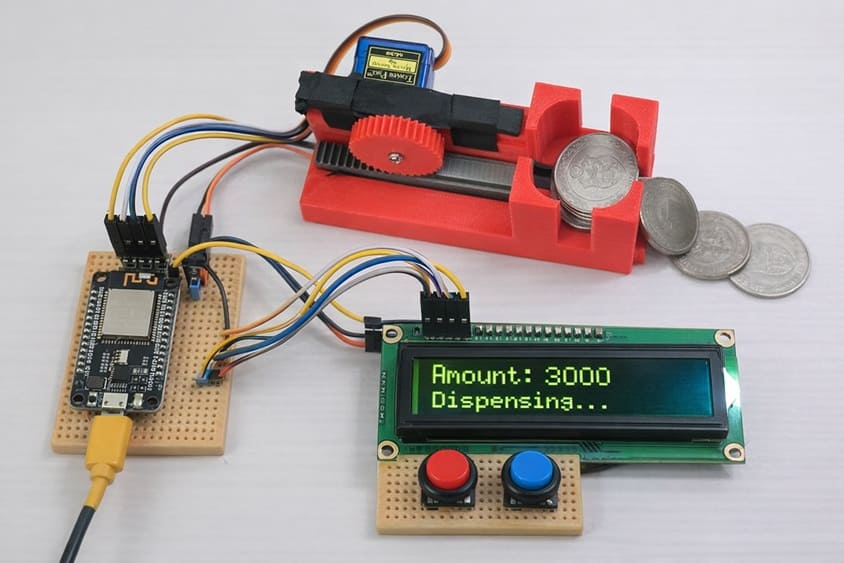
The objective of this project is to design and build a smart coin dispensing machine controlled by an ESP32 board. The system allows a user to select and dispense a specific amount of coins using push buttons. The selected amount is displayed on an LCD I2C screen, and a servo motor activates a mechanical coin dispensing mechanism to release the required number of coins automatically.
This project aims to:
1- demonstrate the use of the ESP32 in automation systems.
2- develop a simple electronic control system for coin dispensing.
3- combine electronic components (ESP32, buttons, LCD, servo) with a mechanical coin dispensing mechanism.
4- provide a low-cost prototype of an intelligent coin dispenser that can be used in vending machines, kiosks, or educational demonstrations.
Functioning (Working Principle) of the System
The system operates through the interaction between the ESP32 board, the push buttons, the LCD display, the servo motor, and the mechanical coin dispensing mechanism.
1. System Initialization
When the ESP32 is powered on, it initializes the LCD I2C screen and displays a message such as “Coin Dispenser Ready”.
2. Selecting the Amount
The first push button is used to increase the amount of money to be dispensed.
Each press adds a predefined value (for example 100 millimes or one coin).
The selected amount is displayed on the LCD screen in real time.
3. Confirming the Dispensing
The second push button is used to confirm the dispensing operation.
The ESP32 calculates the number of coins required according to the selected amount.
4. Coin Dispensing Process
The ESP32 sends control signals to the servo motor.
The servo rotates to push or release one coin from the mechanical dispensing mechanism.
This movement is repeated until the required number of coins has been dispensed.
5. Display Update
During the process, the LCD screen may display messages such as “Dispensing Coins”.
After the operation, the amount is reset to zero, and the system becomes ready for a new transaction.
The system provides a simple automated coin dispensing solution, combining electronic control with a mechanical dispensing mechanism, making it suitable for educational electronics projects and smart vending systems.
Required Components
1. ESP32 board
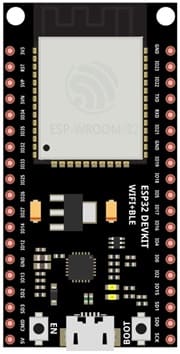
The ESP32 board is the main microcontroller of the system. It controls all the components of the project. The ESP32 reads the signals from the push buttons, processes the user’s input, sends information to the LCD screen, and controls the servo motor to activate the coin dispensing mechanism.
2. Push Buttons
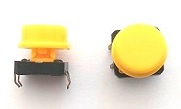
The push buttons are used for user interaction with the system.
- The first button increases the amount of money to be dispensed.
- The second button confirms the dispensing operation.
When a button is pressed, it sends a signal to the ESP32, which then performs the corresponding action.
3. SG90 Servo Motor

The servo motor is an actuator that converts electrical signals into mechanical movement. In this project, the ESP32 controls the servo motor to rotate at a specific angle. This movement activates the mechanical coin dispensing mechanism, allowing one coin to be released each time the servo moves.
4. Mechanical coin dispensing mechanism
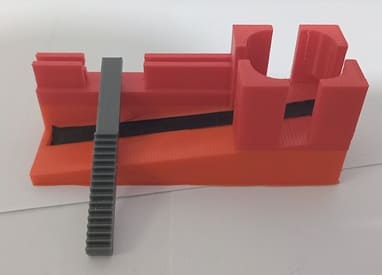
The mechanical coin dispensing mechanism is responsible for storing and releasing the coins one by one. It is usually composed of a coin holder, a guiding channel, and a moving part that pushes or releases the coin. The servo motor drives this mechanism to dispense the coins accurately.
5. LCD Display with I2C Module

The LCD I2C display is used to allow the system to show information to the user. It can display the selected amount.
6. Breadboard
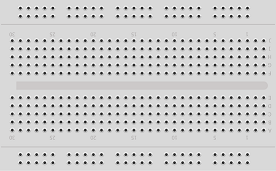
A breadboard is used to assemble the circuit without soldering. It makes it easy to connect and modify the components during testing and development.
7. Jumper Wires

Jumper wires are used to connect the ESP32 board, servo motor, and LCD display together. They ensure proper electrical connections between all components.
8. Power Supply Module
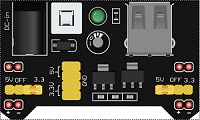
The 5V/3.3V power supply module provides the necessary electrical power to the electronic components used in the coin dispensing system. It converts the input voltage (for example from a 9V battery, USB supply, or external adapter) into stable 5V and 3.3V outputs required by different components.
9. 9V Battery
The 9V battery serves as the main energy source for the electronic system. It provides the electrical power needed to operate the components of the coin dispensing machine.
Circuit Connections of system
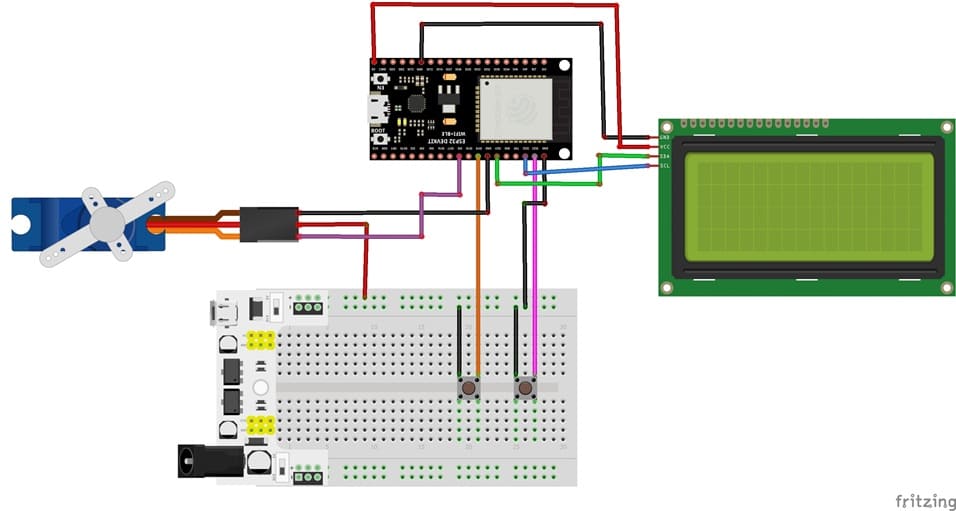
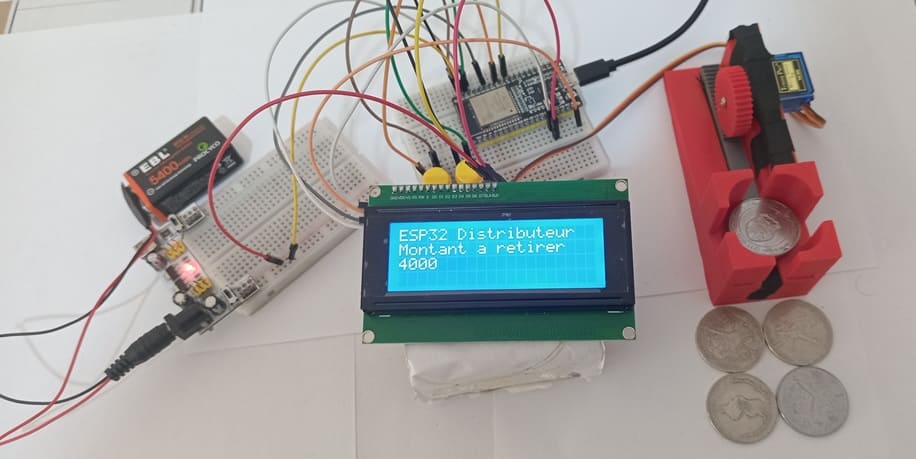
1- Connection of servo motor to ESP32
| Serv motor | ESP32 board |
|---|---|
| Red wire | 5V of supply power |
| Brown wire | GND |
| Yellow wire | GPIO 5 |
2- Connection of LCD I2C display to ESP32
| LCD I2C display | ESP32 board |
|---|---|
| VCC | 5V |
| GND | GND |
| SDA | GPIO 21 |
| SCL | GPIO 22 |
3- Connecting button 1 to the ESP32 board
| Button 1 | ESP32 board |
|---|---|
| Leg | GPIO 23 |
| Another leg | GND |
4- Connecting button 1 to the ESP32 board
| Button 2 | ESP32 board |
|---|---|
| Leg | GPIO 19 |
| Another leg | GND |
Micropython program of ESP32
The program serves as the control software for a DIY coin dispensing machine using an ESP32 board, an LCD I2C screen, two push buttons, a servo motor, and a mechanical coin dispensing mechanism. Its main role is to coordinate the interaction between the user, the electronic components, and the mechanical system to automatically dispense coins based on user input.
You need to install this libraries :
i2c_lcd et lcd_api for I2C LCD screen
Servo → to control the servomotor
|
1 2 3 4 5 6 7 8 9 10 11 12 13 14 15 16 17 18 19 20 21 22 23 24 25 26 27 28 29 30 31 32 33 34 35 36 37 38 39 40 41 42 43 44 45 46 47 48 49 50 51 52 53 54 55 56 57 58 59 60 61 62 63 64 65 66 67 |
# Import required classes from machine import Pin # Used to control the GPIO pins of the ESP32 from time import sleep # Used to create delays in the program from machine import I2C # Used to communicate with the LCD through the I2C bus from servo import Servo # Library used to control the servo motor # Import the library used to control the I2C LCD display from i2c_lcd import I2cLcd # I2C address of the LCD display (usually 0x27 or 0x3F depending on the module) I2C_ADDR = 0x27 # Initialize the LCD display # I2C(0) → I2C bus number 0 # scl=Pin(22) → GPIO22 used as the I2C clock line # sda=Pin(21) → GPIO21 used as the I2C data line # 4, 20 → LCD size: 4 rows and 20 columns lcd = I2cLcd(I2C(0, scl=Pin(22), sda=Pin(21)), I2C_ADDR, 4, 20) # Clear the LCD screen for a clean display lcd.clear() # Initial text displayed on the LCD lcd.move_to(0, 0) lcd.putstr("ESP32 ATM") # Project title lcd.move_to(0, 1) lcd.putstr("Amount to withdraw") # Description message lcd.move_to(0, 2) lcd.putstr("0") # Initial amount displayed montant = 0 # Variable that stores the current amount # Configure the push buttons # button_1 connected to GPIO23 with internal pull-up resistor button_1 = Pin(23, Pin.IN, Pin.PULL_UP) # button_2 connected to GPIO19 with internal pull-up resistor button_2 = Pin(19, Pin.IN, Pin.PULL_UP) # Configure the servo motor servo_motor = Servo(pin=5) # GPIO pin connected to the servo motor servo_motor.move(0) # Set the initial servo position to 0 degrees # Main program loop while True: # If button 1 is pressed if button_1.value() == 0: montant = montant + 1000 # Add 1000 units (example: one coin) lcd.move_to(0, 2) # Move cursor to the amount display line lcd.putstr(str(montant)) # Display the updated amount on the LCD # If button 2 is pressed if button_2.value() == 0: print("Button 2 pressed") # Debug message in the serial console # Dispense coins: one coin for each 1000 units for i in range(montant // 1000): servo_motor.move(150) # Rotate the servo to push a coin sleep(0.5) # Wait to allow the servo to move servo_motor.move(0) # Return the servo to the initial position sleep(0.5) # Small delay before the next coin montant = 0 # Reset the amount after dispensing lcd.move_to(0, 2) lcd.putstr(str(montant)) # Display the reset amount (0) on the LCD sleep(0.3) # Small delay to reduce button bouncing (debouncing) |
0 comment
Leave a comment
Passion for robotics

Recent tutorials
Robotics workshop

Polpular tutorials




Making robots

Most commented tutorials



Robotic arm

Categories
Smart Home