Design of a coin dispensing mechanism using Micro:bit
Tutorial plan
1- Objective of the project
2- Required Components
3- Circuit Connections of system
4- Makecode program of Micro:bit
Objective of the project
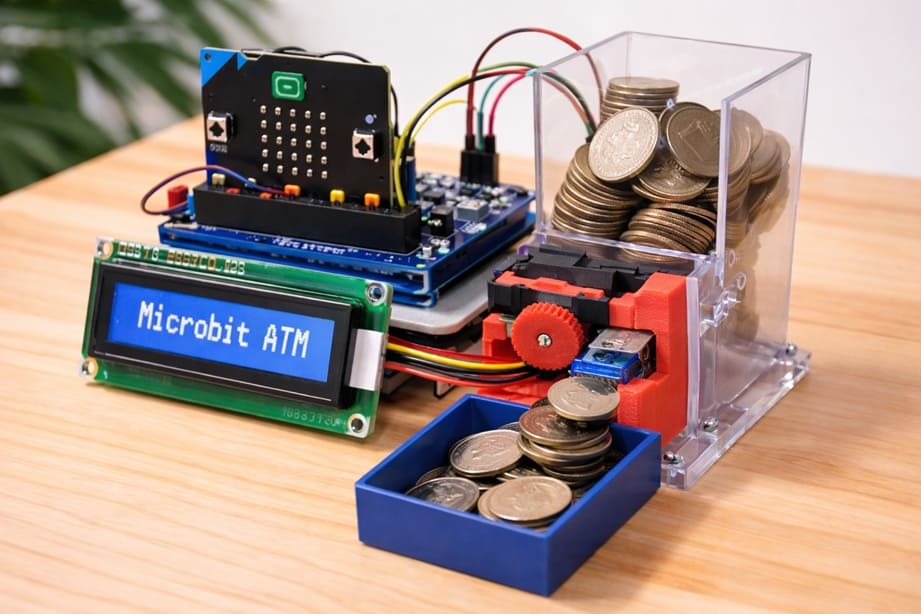
The design of a coin dispensing mechanism using the BBC micro:bit aims to create an automated system capable of delivering coins according to an amount selected by the user. The main objective of this project is to demonstrate how a microcontroller can control a mechanical device to distribute coins automatically. It combines electronics, programming, and a simple mechanical mechanism to simulate the operation of systems used in vending machines, ticket machines, or automatic payment devices. The system also improves user interaction by displaying information such as the selected amount and the dispensing process on an LCD 1602 I2C Display Module.
The functioning of the system begins with the selection of the amount using the buttons integrated on the Micro:bit board. When the user presses Button A, the withdrawal amount increases step by step (for example, by adding a fixed value such as 1000 millimes each time). The selected amount is displayed on the LCD screen so the user can see the value in real time. When the user presses Button B, the system confirms the selected amount and starts the coin dispensing process.
After confirmation, the Micro:bit calculates how many coins must be released according to the selected amount and the value of each coin. The microcontroller then sends control signals to an actuator (for example a small motor or a servo motor) connected to the mechanical coin dispenser. The actuator moves a mechanical part that pushes or releases one coin at a time from the coin storage compartment. This movement is repeated until the required number of coins has been dispensed.
During the operation, the LCD 1602 I2C Display Module provides visual feedback to the user. It can show messages such as the selected amount, the number of coins being dispensed, or a message indicating that the operation is finished. This display improves the usability of the system and allows the user to follow the progress of the dispensing process.
The mechanical part of the distributor typically includes a coin storage container, a guiding channel for the coins, and a moving element that pushes the coins out one by one. This moving element is activated by the actuator controlled by the BBC micro:bit. By synchronizing the electronic control with the mechanical motion, the system ensures that coins are dispensed accurately and one at a time. This project therefore illustrates the integration of software, electronics, and mechanical design in a practical automated dispensing system.
Required Components
1. BBC Micro:bit (Microcontroller)
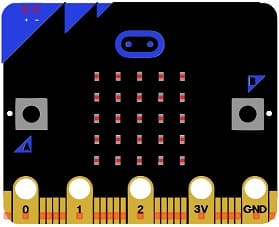
The BBC micro:bit is the control unit of the system. It executes the program that manages the whole process.
The Micro:bit reads the user inputs from its buttons, calculates the number of coins to dispense, and sends control signals to the actuator that drives the mechanical coin dispenser.
2. GPIO Extension Card for Micro:bit
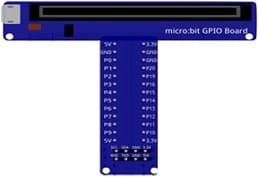
The GPIO extension card Expands the number of usable input/output pins on the Micro:bit, making it easier to connect multiple components.
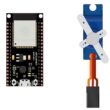
3. SG90 Servo Motor
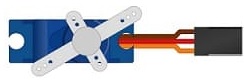
The SG90 Servo Motor is used to control the mechanical movement of the dispenser.
The servo motor rotates to push or release one coin from the storage compartment. By repeating this movement several times, the system can dispense the exact number of coins corresponding to the selected amount.
4. Mechanical coin dispensing mechanism
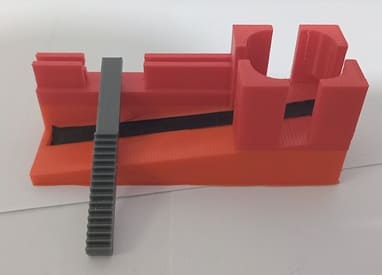
The mechanical coin dispensing mechanism is another essential part of the project. It usually consists of a coin storage container, a coin guide channel, and a pushing element connected to the servo motor. When the servo moves, the pushing mechanism releases one coin at a time, ensuring that coins do not come out all at once.
5. LCD Display with I2C Module

The LCD I2C display is used to allow the system to show information to the user. It can display the selected amount.
6. Breadboard
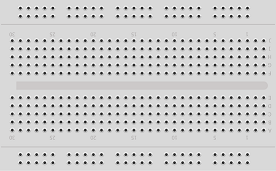
A breadboard is used to assemble the circuit without soldering. It makes it easy to connect and modify the components during testing and development.
7. Jumper Wires

Jumper wires are used to connect the Micro:bit, servo motor, and LCD display together. They ensure proper electrical connections between all components.
Circuit Connections of system
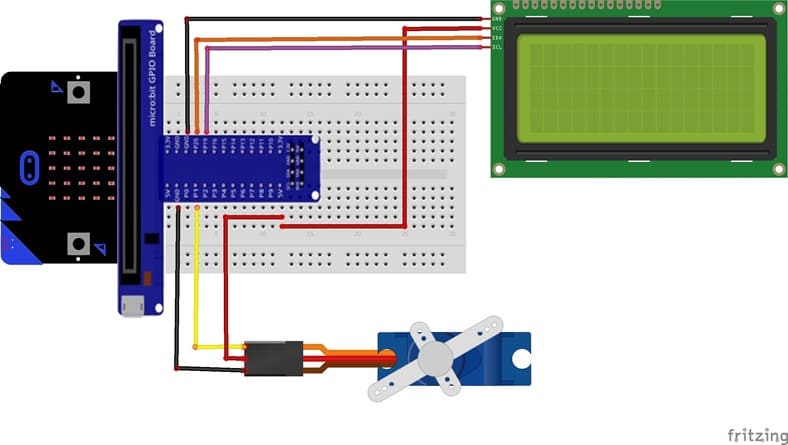
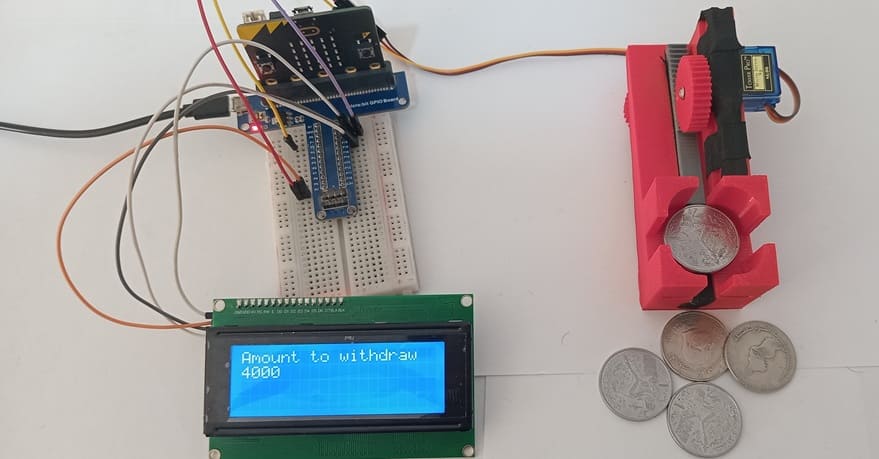
1- Connection of servo motor to Micro:bit
| Serv motor | Micro:bit board |
|---|---|
| Red wire | 5V of GPIO card |
| Brown wire | GND |
| Yellow wire | P1 |
2- Connection of LCD I2C display to Micro:bit
| LCD I2C display | Micro:bit board |
|---|---|
| VCC | 5V of GPIO card |
| GND | GND |
| SDA | P20 |
| SCL | P19 |
Makecode program of Micro:bit
1- Open MakeCode (makecode.microbit.org).
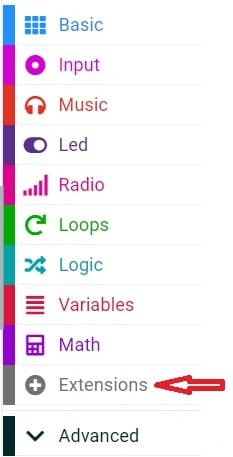
2- Click on Extensions.
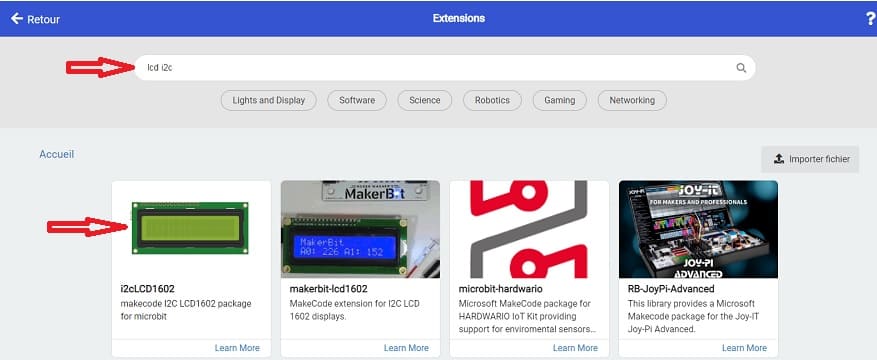
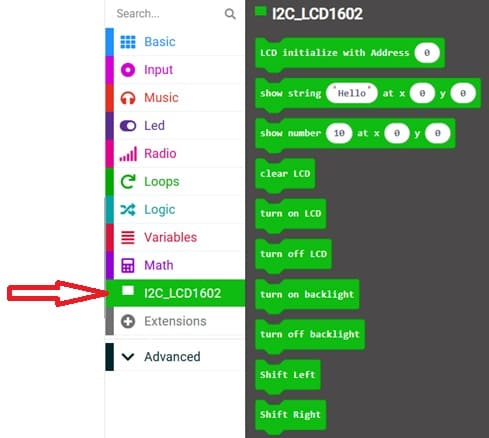
3- In the search bar, type "I2C LCD," and you should find an extension for the I2C LCD display. Add it to your project.
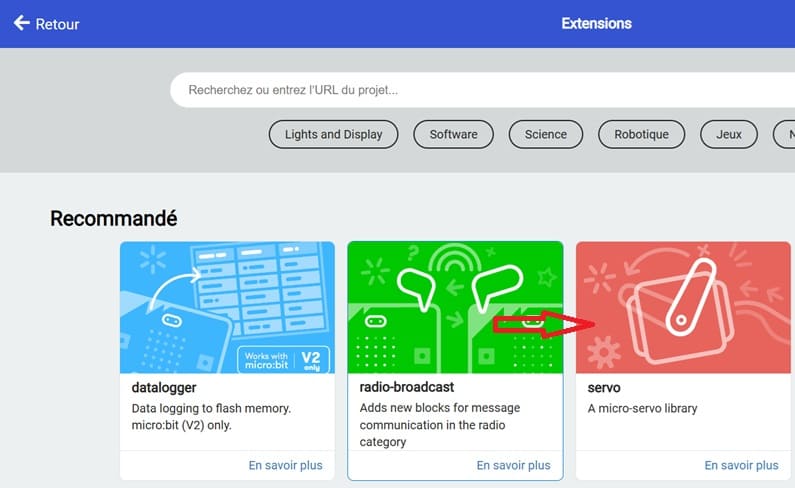
4- In the search bar, type "servo" and you should find an extension for servo motor. Add it to your project.
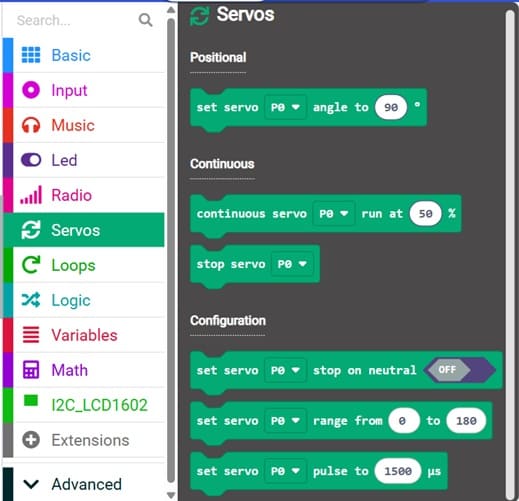
This program written in MakeCode is designed to control a coin dispensing system using the BBC micro:bit, a servo motor, and an LCD 1602 I2C Display Module. Its main purpose is to allow the user to select an amount of money and automatically dispense the corresponding number of coins.
Program description
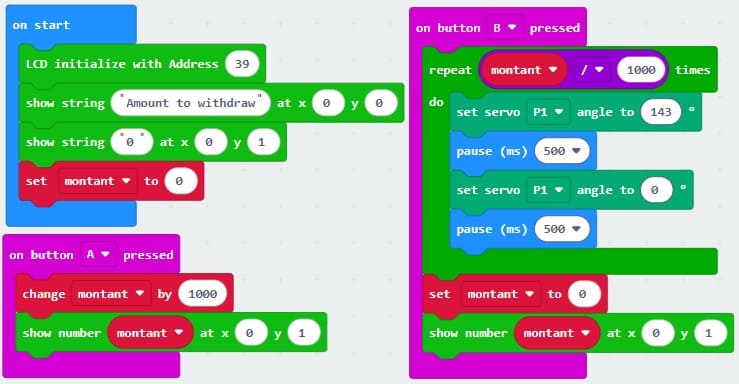
This program written in MakeCode is designed to control a coin dispensing system using the BBC micro:bit, a servo motor, and an LCD 1602 I2C Display Module. Its main purpose is to allow the user to select an amount of money and automatically dispense the corresponding number of coins.
At the beginning of the program, a variable called montant is created and initialized to 0. This variable stores the amount of money that the user wants to withdraw. The LCD screen is then initialized using the command I2C_LCD1602.LcdInit(39), which sets the I2C address of the display. After initialization, the program displays the message “Amount to withdraw” on the first line of the LCD and 0 on the second line to indicate that no amount has been selected yet.
The program then waits for the user to interact with the buttons of the BBC micro:bit. When Button A is pressed, the program increases the value of montant by 1000. This means that each press of Button A adds a fixed amount to the withdrawal value. After increasing the value, the new amount is displayed on the second line of the LCD using the function ShowNumber, allowing the user to see the updated amount in real time.
When Button B is pressed, the system starts the coin dispensing process. The program calculates the number of coins that must be released by dividing the selected amount (montant) by 1000. A for loop is then used to repeat the dispensing action the required number of times. During each iteration of the loop, the servo motor connected to pin P1 moves to an angle of 143 degrees, which activates the mechanical mechanism that pushes a coin out of the dispenser. After a short delay of 500 milliseconds, the servo returns to 0 degrees, returning the mechanism to its initial position. Another delay of 500 milliseconds is added before the next cycle begins. This sequence ensures that the coins are dispensed one by one.
After all the coins have been dispensed, the program resets the value of montant to 0. The LCD screen is then updated to display 0 again on the second line, indicating that the system is ready for a new transaction.
0 comment
Leave a comment
Passion for robotics

Recent tutorials





Robotics workshop

Polpular tutorials





Making robots

Most commented tutorials




Robotic arm

Categories
Smart Home