Intelligent water level detection using HC-SR04 and ESP32
Tutorial plan
1- Objective of the project
2- Required Components
3- Circuit Connections of system
4- MicroPython code for ESP32
Objective of the project
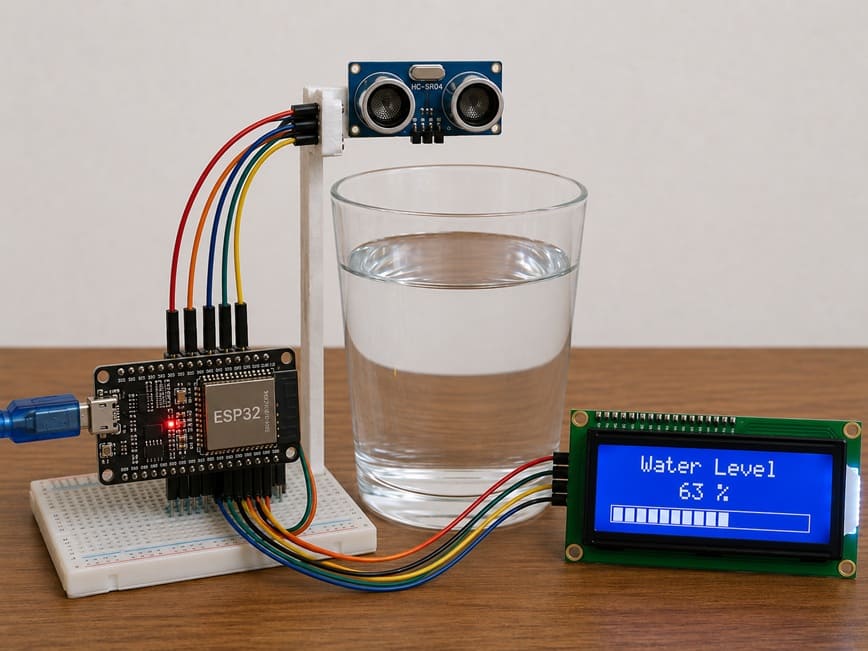
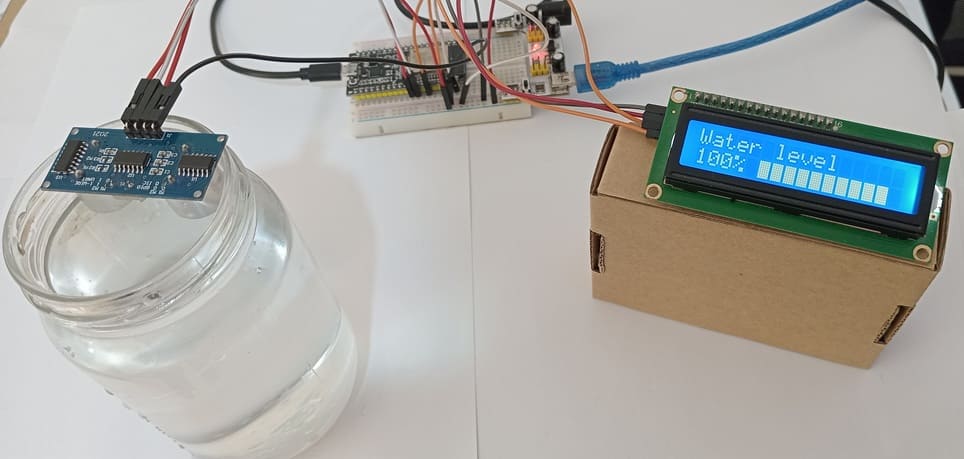
The objective of this project is to design an intelligent water level detection system using an Espressif Systems, an HC-SR04 ultrasonic sensor, an LCD I2C display, and a glass container.
The system measures the water level in real time and displays the results on the LCD screen using graphical bars or percentage values.
This project helps users monitor the amount of water inside the glass automatically and accurately.
Functioning
When water is poured into the glass, the HC-SR04 ultrasonic sensor emits ultrasonic waves toward the water surface.
These waves are reflected by the water and return to the sensor.
The ESP32 calculates the distance between the sensor and the water surface using the returned signal time.
According to the measured distance:
- If the water level increases, more bars are displayed on the LCD screen.
- If the water level decreases, fewer bars are displayed.
The LCD I2C display continuously shows the water level in real time, allowing easy and intelligent monitoring of the water quantity inside the glass.
Required Components
1. ESP32 board
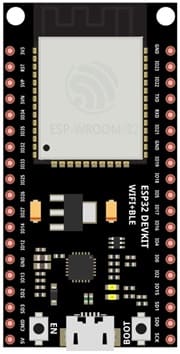
The ESP32 is a powerful microcontroller board used to control the entire system. It processes the data received from the ultrasonic sensor and sends the results to the LCD display.
2. HC-SR04 sensor
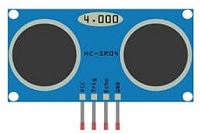
The HC-SR04 sensor is used to measure the distance between the sensor and the water surface. It works by transmitting ultrasonic waves and receiving the reflected waves from the water.
3. LCD Display with I2C Module

The LCD I2C display is used to show the water level information in real time. It can display percentage values and graphical bars representing the water level.
4. Jumper Wires

Jumper wires are used to establish electrical connections between the ESP32, the sensor, and the LCD display.
5. Breadboard
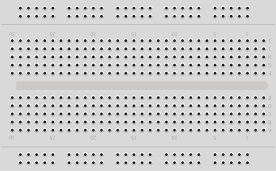
The breadboard is used to connect the electronic components without soldering. It simplifies circuit assembly and testing.
Circuit Connections of system
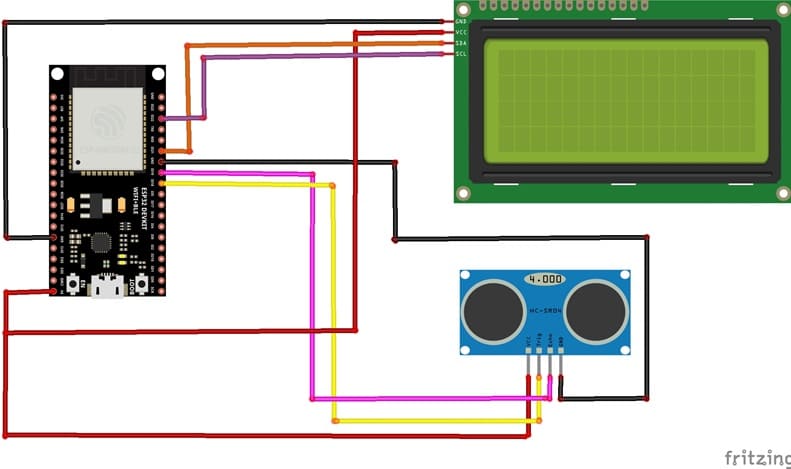
1- Connection of HC-SR04 sensor to ESP32
| HC-SR04 sensor | ESP32 board |
|---|---|
| VCC | 5V |
| GND | GND |
| Trig | GPIO 18 |
| Echo | GPIO 19 |
2- Connection of LCD I2C display to ESP32
| LCD I2C display | ESP32 board |
|---|---|
| VCC | 5V |
| GND | GND |
| SDA | GPIO 21 |
| SCL | GPIO 23 |
MicroPython code for ESP32
This MicroPython program is designed to implement a smart water level monitoring system using an Espressif Systems, an HC-SR04, and an LCD I2C display.
You need to install this two libraries : i2c_lcd et lcd_api for I2C LCD screen.
|
1 2 3 4 5 6 7 8 9 10 11 12 13 14 15 16 17 18 19 20 21 22 23 24 25 26 27 28 29 30 31 32 33 34 35 36 37 38 39 40 41 42 43 44 45 46 47 48 49 50 51 52 53 54 55 56 57 58 59 60 61 62 63 64 65 66 67 68 69 70 71 72 73 74 75 76 77 78 79 80 81 82 83 84 85 86 87 88 89 90 91 92 93 94 95 96 97 98 99 100 101 102 103 104 105 106 107 108 109 110 111 112 113 114 115 116 117 118 119 120 121 122 123 124 125 126 127 128 129 130 131 132 133 134 135 136 137 138 139 140 141 142 143 144 145 146 147 148 149 150 151 152 153 |
# ========================================================= # Import required libraries # ========================================================= from machine import Pin, I2C, time_pulse_us from time import sleep, sleep_us from i2c_lcd import I2cLcd # ========================================================= # LCD I2C Configuration # ========================================================= # Initialize I2C communication # SCL connected to GPIO22 # SDA connected to GPIO21 # I2C frequency set to 400 kHz i2c = I2C(0, scl=Pin(22), sda=Pin(21), freq=400000) # Initialize LCD display # I2C address = 0x27 # LCD size = 16 columns, 2 rows lcd = I2cLcd(i2c, 0x27, 2, 16) # ========================================================= # HC-SR04 Ultrasonic Sensor Configuration # ========================================================= # TRIG pin (output) used to send ultrasonic pulse TRIG = Pin(18, Pin.OUT) # ECHO pin (input) used to receive reflected signal # FIXED: missing comma in original code ECHO = Pin(19, Pin.IN) # Maximum height of the container in cm MAX_HEIGHT = 6.9 # ========================================================= # Custom characters for LCD bar graph display # ========================================================= bar_chars = [ bytearray([0,0,0,0,0,0,0,0]), # Empty bar bytearray([16,16,16,16,16,16,16,16]), # 1/5 filled bytearray([24,24,24,24,24,24,24,24]), # 2/5 filled bytearray([28,28,28,28,28,28,28,28]), # 3/5 filled bytearray([30,30,30,30,30,30,30,30]), # 4/5 filled bytearray([31,31,31,31,31,31,31,31]) # Full bar ] # Load custom characters into LCD memory for i in range(6): lcd.custom_char(i, bar_chars[i]) # Display title on first row lcd.move_to(0, 0) lcd.putstr("Water level") # ========================================================= # Function: Measure distance using HC-SR04 # ========================================================= def measure_distance(): # Ensure TRIG is LOW before starting TRIG.off() sleep_us(2) # Send a 10 microsecond pulse to trigger measurement TRIG.on() sleep_us(10) TRIG.off() # Measure duration of echo pulse (timeout = 30 ms) duration = time_pulse_us(ECHO, 1, 30000) # Convert time into distance (cm) # Speed of sound = 0.034 cm/µs distance = (duration * 0.034) / 2 return distance # ========================================================= # Function: Map a value from one range to another # ========================================================= def map_value(x, in_min, in_max, out_min, out_max): # Linear conversion between ranges return int((x - in_min) * (out_max - out_min) / (in_max - in_min) + out_min) # ========================================================= # Main program loop # ========================================================= while True: # Measure distance between sensor and water surface distance = measure_distance() # Calculate water level (corrected for sensor offset) water_level = MAX_HEIGHT - (distance - 2.3) # Ensure water level is not below 0 if water_level < 0: water_level = 0 # Ensure water level does not exceed maximum height if water_level > MAX_HEIGHT: water_level = MAX_HEIGHT # Convert water level to percentage percent = int((water_level / MAX_HEIGHT) * 100) # ===================================================== # Display percentage on LCD # ===================================================== lcd.move_to(0, 1) lcd.putstr(str(percent) + "% ") # ===================================================== # Create graphical bar indicator # ===================================================== total_bars = 10 # Number of bars on LCD # Convert percentage into bar units (0–50 steps) filled = map_value(percent, 0, 100, 0, total_bars * 5) # Move cursor to bar display position lcd.move_to(5, 1) # Display bar graph for i in range(total_bars): # Determine fill level of each bar segment bar_level = filled - (i * 5) # Fully filled bar if bar_level >= 5: lcd.putchar(chr(5)) # Partially filled bar elif bar_level > 0: lcd.putchar(chr(bar_level)) # Empty bar else: lcd.putchar(chr(0)) # Small delay before next measurement sleep(0.5) |
How it works ?
- The HC-SR04 sensor measures the distance between the sensor and the water surface.
- The ESP32 calculates the actual water level based on this distance.
- The water level is converted into a percentage (0% to 100%).
- The LCD I2C displays: the water level percentage and a graphical bar representation of the water level
0 comment
Leave a comment
Passion for robotics

Recent tutorials





Robotics workshop

Polpular tutorials





Making robots

Most commented tutorials




Robotic arm

Categories
Smart Home