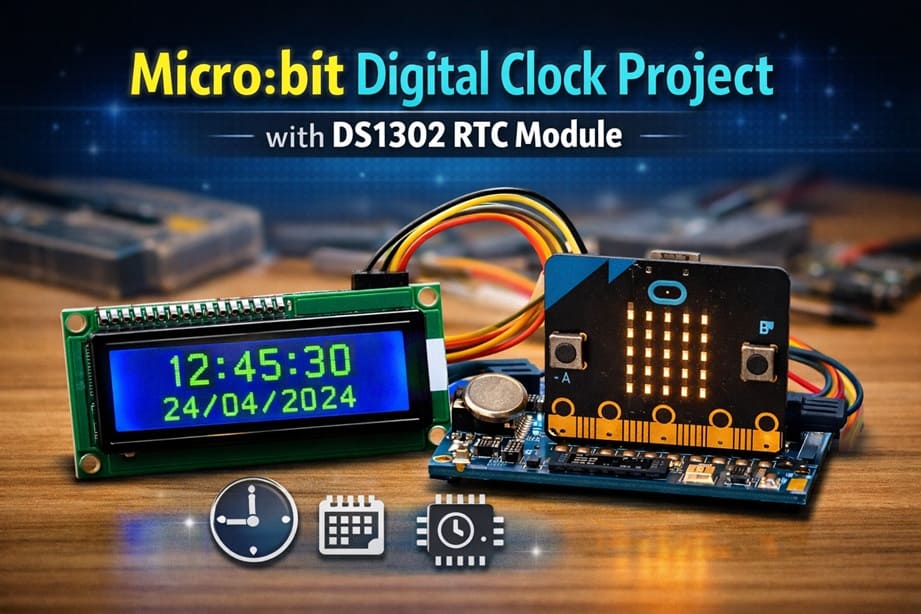
Micro:bit Digital Clock Project with DS1302 RTC Module
Tutorial plan
1- Objective of the project
2- Required Components
3- Circuit Connections of system
4- Makecode program of Micro:bit Clock
Objective of the project
The objective of this project is to build a digital clock using the Micro:bit, a DS1302 RTC Module, and an LCD I2C Display.
This project aims to learn how to read real-time data such as hours, minutes, seconds, date, month, and year from the RTC module and display this information clearly on the LCD screen using the I2C communication protocol.
Through this project, students will also understand how to interface external electronic modules with the Micro:bit, use the MakeCode programming environment, and develop practical skills in embedded systems, time management applications, and electronic circuit design.
Required Components
1. BBC Micro:bit (Microcontroller)
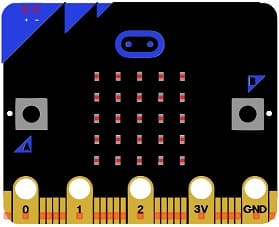
The Micro:bit is a small programmable microcontroller board designed for education. It acts as the main controller (brain) of the Clock.
2. GPIO Extension Card for Micro:bit
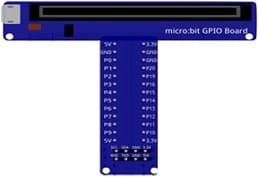
The GPIO extension card Expands the number of usable input/output pins on the Micro:bit, making it easier to connect multiple components like the DS1302 RTC Module and LCD display.
3. DS1302 RTC Module
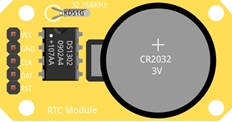
The DS1302 RTC (Real Time Clock) module is an electronic component used to keep track of the current time and date in real time. It continues to operate even when the main power is turned off, thanks to its backup battery.
5. LCD Display with I2C Module

The LCD I2C display is used to show information visually in the project. It allows the user to easily read the time and date provided by the RTC module and processed by the Micro:bit.
6. Breadboard
Breadboard is used for building a non-permanent circuit without soldering.
7. Jumper Wires

Jumper wires (male-to-male or male-to-female) are used to connect components to the Micro:bit.
Circuit Connections of system
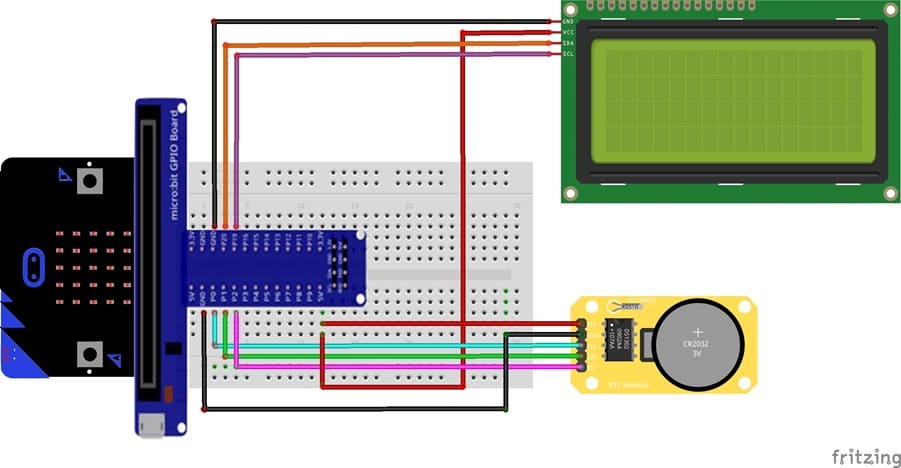
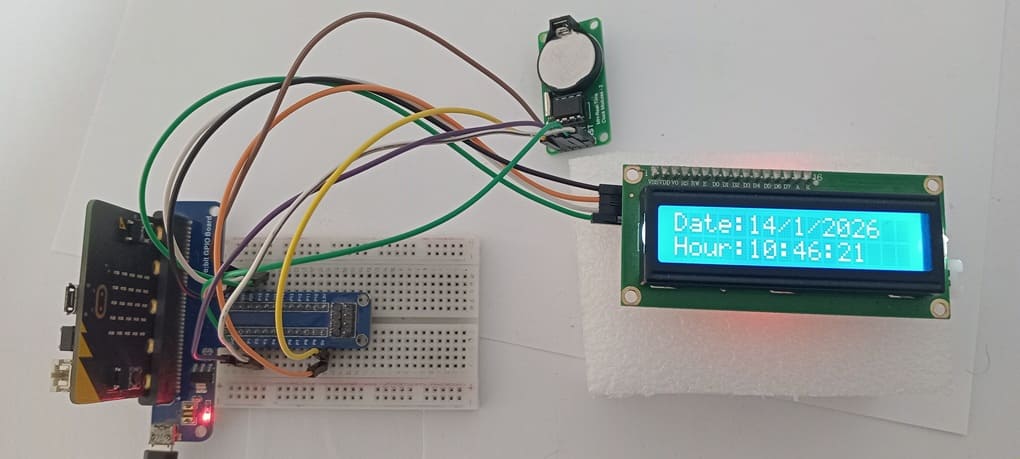
1- Connection of DS1302 RTC Module to Micro:bit
| DS1302 RTC Module | Micro:bit |
|---|---|
| CLK | P0 |
| DAT | P1 |
| RST | P2 |
| VCC | 5V of GPIO card |
| GND | GND |
2- Connection of LCD I2C display to Micro:bit
| LCD I2C display | Micro:bit |
|---|---|
| VCC | 5V of GPIO card |
| GND | GND |
| SDA | P20 |
| SCL | P19 |
Makecode program of Micro:bit Clock
1- Open MakeCode (makecode.microbit.org).
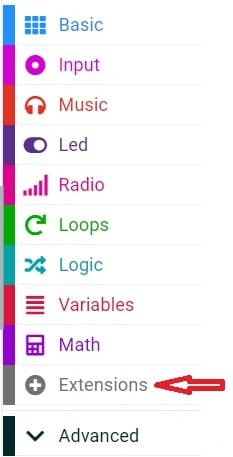
2- Click on Extensions.
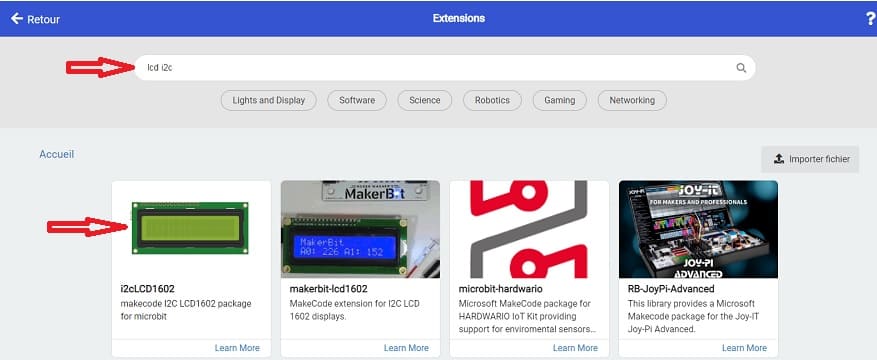
3- In the search bar, type "I2C LCD," and you should find an extension for the I2C LCD display. Add it to your project.
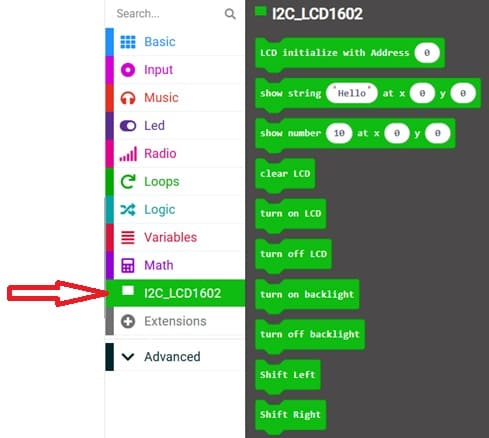
4- In the search bar, type "RTC DS1302" and you should find an extension for RTC DS1302 module. Add it to your project.
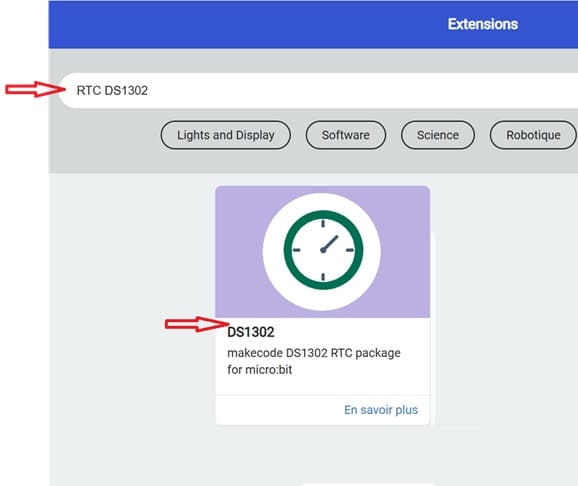
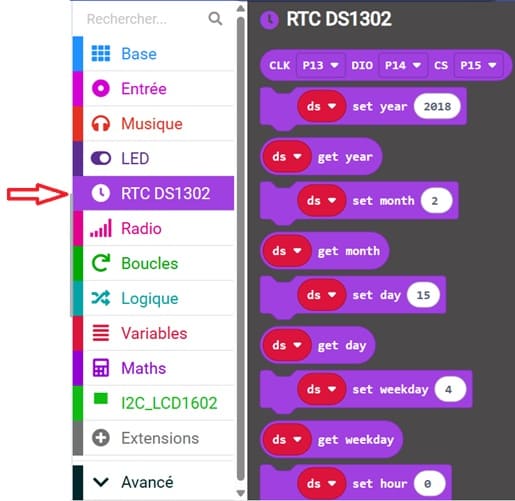
This MakeCode program allows the Micro:bit to create a digital clock system using the DS1302 RTC Module and an LCD I2C display. The clock shows the current date and time in real-time on the LCD screen.
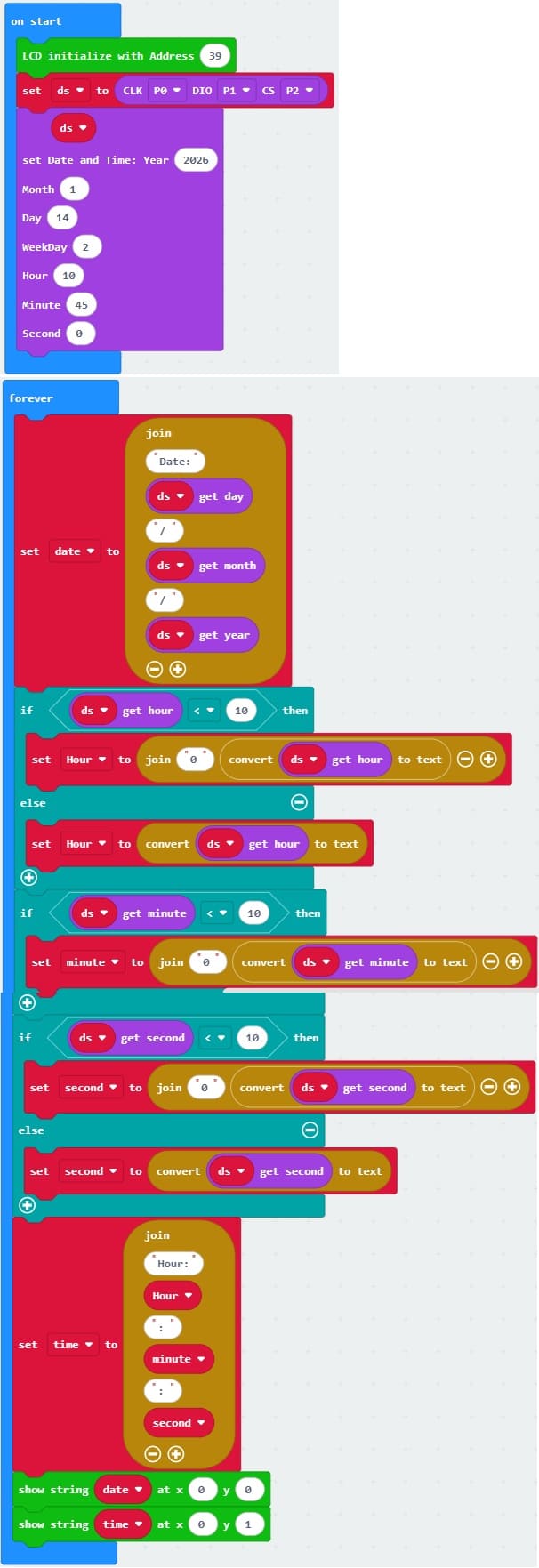
Explanation of the MakeCode Program
1. Variable Declaration
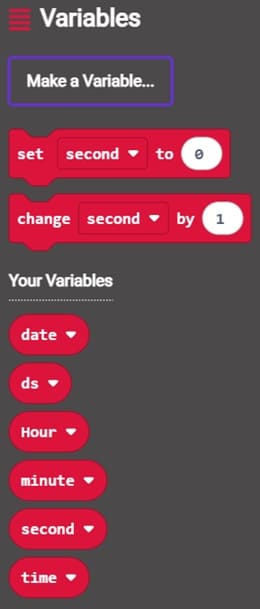
These variables are used to store:
date → stores the current date
Hour → stores the hour
minute → stores the minute
second → stores the second
time → stores the complete formatted time
2. LCD Initialization

This instruction initializes the LCD I2C display.
3. RTC Module Initialization

This line creates the RTC object named ds.
Pins used:
P0 → CLK (Clock)
P1 → DAT (Data)
P2 → RST (Reset)
These pins allow communication between the Micro:bit and the RTC module.
4. Setting Initial Date and Time
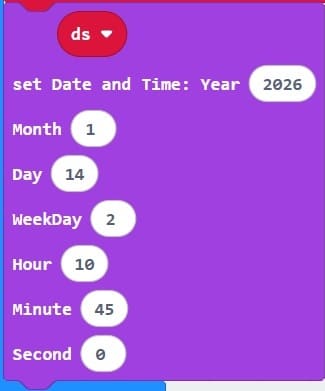
This sets the initial date and time:
Year → 2026
Month → 1
Day → 14
Hour → 2
Minute → 10
Second → 45
Day of week → 0
This step is usually done once to initialize the RTC.
5. Reading and Formatting the Date
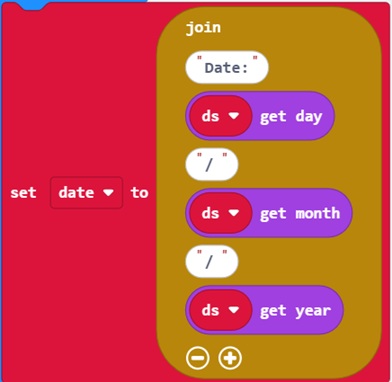
This reads the current date from the RTC and formats it as: Date: DD/MM/YYYY
6. Formatting Hour, Minute, and Second
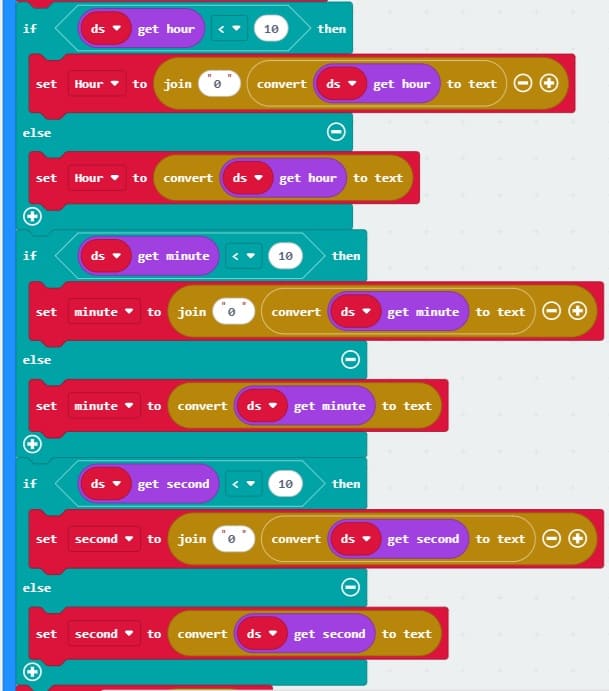
This adds a leading zero if the value is less than 10.
Example:
2 → 02
9 → 09
12 → 12
This improves display readability.
The same method is used for minute and second
7. Creating the Complete Time String
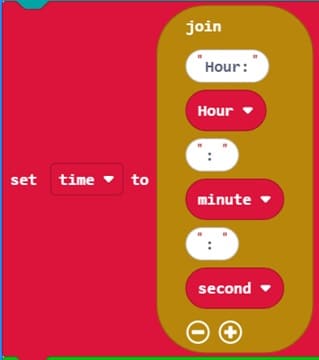
Example result: Hour: 02:10:45
8. Displaying on LCD
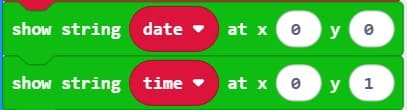
This displays:
Date on line 1
Time on line 2
LCD display example:
Date: 14/1/2026
Hour: 02:10:45
0 comment
Leave a comment
Passion for robotics

Recent tutorials

Robotics workshop

Polpular tutorials




Making robots

Most commented tutorials



Robotic arm

Categories
Smart Home