Obstacle detection with ESP32 board and FC-51 sensor
Tutorial plan
1- Objective of the project
2- Required Components
3- Circuit Connections of system
4- Micropython program of ESP32
Objective of the project
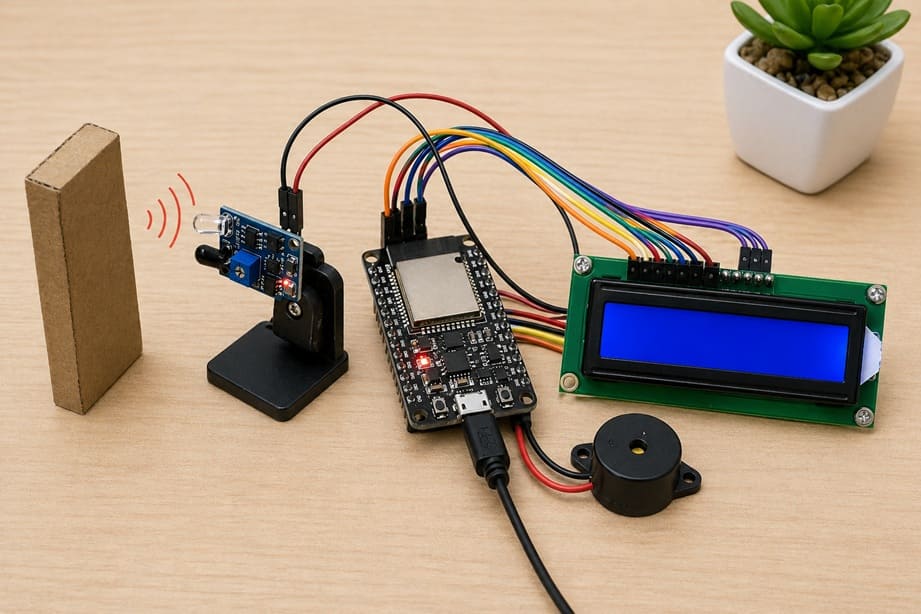
The objective of this project is to detect the presence of an obstacle using an infrared sensor and to alert the user both visually and audibly. An ESP32 is used as the main controller to process the data coming from the FC-51 IR obstacle sensor. When an object is placed in front of the sensor, the system identifies it and informs the user through a buzzer and an I2C LCD display. This type of system is commonly used in robotics, security applications, and smart automation systems.
The functioning of the system is based on infrared detection. The FC-51 sensor continuously emits infrared rays. When there is no obstacle, these rays are not reflected back to the sensor. However, when an object is present, the rays are reflected and detected by the sensor. This change is converted into a digital signal that is sent to the ESP32, which continuously monitors the sensor’s output.
Once the signal is received, the ESP32 processes the information and decides the appropriate action. If an obstacle is detected, it activates the buzzer to produce a sound alert and displays a warning message such as “Obstacle detected” on the LCD I2C display. If no obstacle is detected, the buzzer remains off and the display shows a message like “No obstacle,” indicating normal operation.
The system operates continuously in a loop, ensuring real-time monitoring of the environment. This makes the project efficient and responsive, as it can immediately react to any object placed in front of the sensor. Overall, this project demonstrates how sensors, microcontrollers, and output devices can work together to create a simple yet effective obstacle detection system.
Required Components
1. ESP32 board
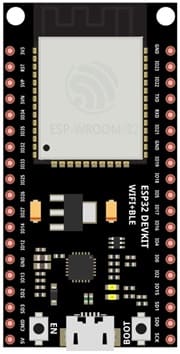
The ESP32 is the main control unit of the system. It is a powerful microcontroller with built-in Wi-Fi and Bluetooth capabilities. In this project, it reads the signal from the sensor, processes the data, and controls the output devices such as the buzzer and the LCD display. Its fast processing speed makes it ideal for real-time applications.
2. FC-51 sensor
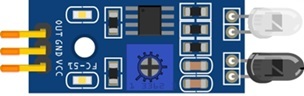
The FC-51 IR obstacle sensor is used to detect obstacles. It works by emitting infrared light and measuring the reflection. When an object is placed in front of the sensor, the reflected light is detected, and the sensor sends a digital signal to the ESP32. It also includes a small potentiometer that allows adjusting the detection sensitivity.
3. LCD Display with I2C Module

The I2C LCD 16x2 Display is used to display messages such as “Object Detected”.
4. Buzzer
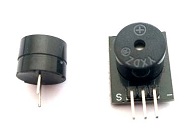
The buzzer is an output component that produces sound. In this project, it is activated when an obstacle is detected, providing an audible alert to the user. It is simple to use and requires only one control pin from the ESP32.
5. Breadboard
A breadboard is used to assemble the circuit without soldering. It makes it easy to connect and modify the components during testing and development.
6. Jumper Wires

Jumper wires are used to connect the ESP32 board, FC-51 sensor, and LCD display together. They ensure proper electrical connections between all components.
Circuit Connections of system
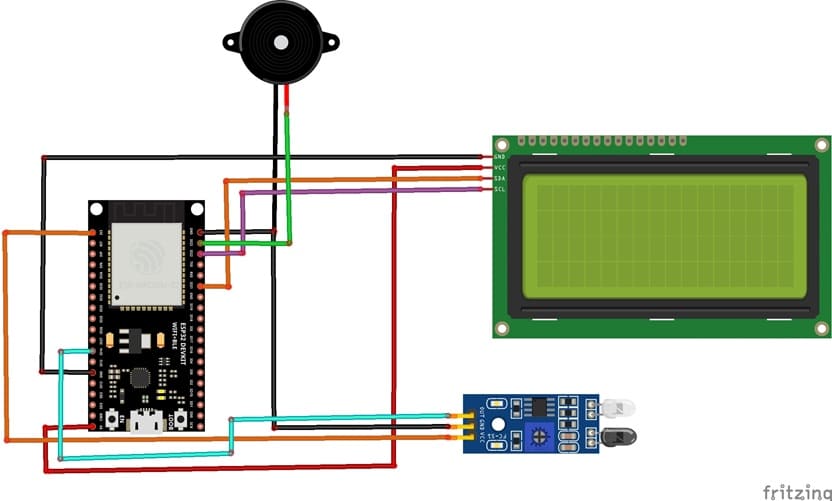
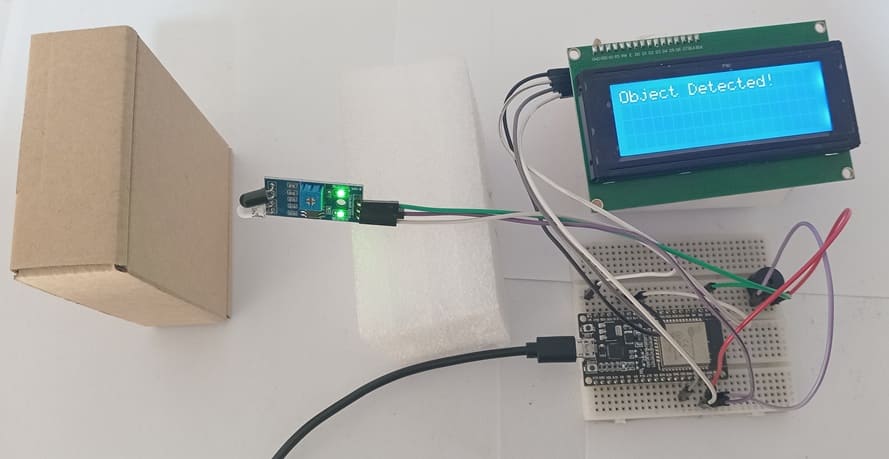
1- Connection of FC-51 sensor to ESP32
| FC-51 sensor | ESP32 board |
|---|---|
| VCC | 3V |
| GND | GND |
| OUT | GPIO 14 |
2- Connection of LCD I2C display to ESP32
| LCD I2C display | ESP32 board |
|---|---|
| VCC | 5V |
| GND | GND |
| SDA | GPIO 21 |
| SCL | GPIO 22 |
3- Connection of Buzzer to ESP32
| Buzzer | ESP32 board |
|---|---|
| Terminal (+) | GPIO 23 |
| Terminal (-) | GND |
Micropython program of ESP32
This MicroPython program is designed to implement an automatic object detection system using an ESP32 board, an FC-51 infrared sensor, a buzzer, and an I2C LCD display.
You need to install this libraries : i2c_lcd and lcd_api for I2C LCD screen.
|
1 2 3 4 5 6 7 8 9 10 11 12 13 14 15 16 17 18 19 20 21 22 23 24 25 26 27 28 29 30 31 32 33 34 35 36 37 38 39 40 41 42 43 44 45 46 47 48 49 50 51 52 53 54 |
# =============================== # Object Detection with FC-51 IR Sensor # ESP32 + Buzzer + LCD I2C 20x4 # =============================== from machine import Pin, I2C # Import Pin and I2C classes for hardware control from time import sleep # Import sleep function for delays from i2c_lcd import I2cLcd # Import LCD library # I2C address of the LCD (commonly 0x27 or 0x3F) I2C_ADDR = 0x27 # Initialize I2C communication on ESP32 # scl -> GPIO22, sda -> GPIO21, frequency -> 400kHz i2c = I2C(0, scl=Pin(22), sda=Pin(21), freq=400000) # Initialize 20x4 LCD display (4 rows, 20 columns) lcd = I2cLcd(i2c, I2C_ADDR, 4, 20) # Configure FC-51 IR sensor as input (connected to GPIO14) sensor = Pin(14, Pin.IN) # Configure buzzer as output (connected to GPIO23) buzzer = Pin(23, Pin.OUT) # Display startup message on LCD lcd.clear() lcd.move_to(0, 0) lcd.putstr(" IR Object Sensor ") # First line lcd.move_to(0, 1) lcd.putstr("System Ready...") # Second line sleep(2) # Wait 2 seconds # Clear LCD after startup lcd.clear() # Main loop (runs forever) while True: # Check sensor state # FC-51 usually outputs LOW (0) when an object is detected if sensor.value() == 0: # Object detected buzzer.value(1) # Turn ON buzzer lcd.move_to(0, 0) lcd.putstr("Object Detected! ") # Display detection message else: # No object detected buzzer.value(0) # Turn OFF buzzer lcd.move_to(0, 0) lcd.putstr("No Object ") # Display normal status sleep(0.2) # Small delay to stabilize readings |
At startup, the program initializes the I2C communication to control the 20x4 LCD screen. It then configures the hardware: the FC-51 sensor is set as an input to detect objects, and the buzzer is set as an output to generate sound alerts. A startup message is displayed on the LCD to indicate that the system is ready.
After initialization, the program enters an infinite loop where it continuously monitors the sensor state. When an object is detected (the sensor outputs LOW or 0), the buzzer is turned on and the message “Object Detected!” is displayed on the LCD. If no object is detected, the buzzer remains off and the message “No Object” is shown.
0 comment
Leave a comment
Passion for robotics

Recent tutorials





Robotics workshop

Polpular tutorials





Making robots

Most commented tutorials




Robotic arm

Categories
Smart Home