Water level detection using ESP8266 NodeMCU and HC-SR04
Tutorial plan
1- Objective of the project
2- Required Components
3- Circuit Connections of system
4- MicroPython code for ESP8266 NodeMCU
Objective of the project
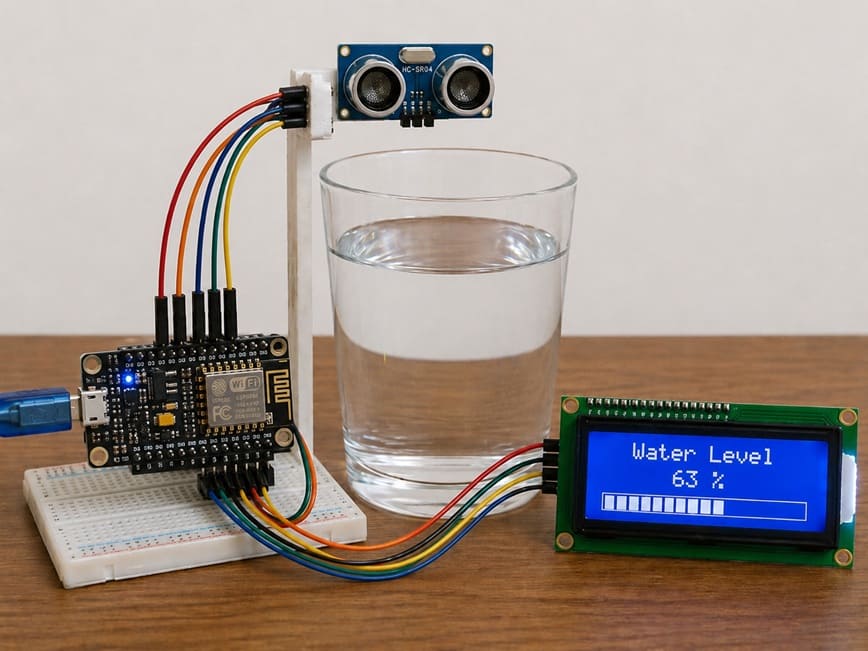
The objective of the water level detection system using ESP8266 NodeMCU, HC-SR04 ultrasonic sensor, and LCD display is to measure and monitor the level of water inside a glass (or container) in real time.
This system is designed to:
- detect the distance between the sensor and the water surface.
- calculate the water level based on this distance.
- display the water level on an LCD screen for easy reading.
- provide a simple and low-cost smart monitoring solution for liquid level measurement.
Functioning of the Project
1- Ultrasonic Measurement (HC-SR04)
The HC-SR04 sensor is placed above the glass. It sends ultrasonic waves toward the water surface and measures the time taken for the echo to return. This time is used to calculate the distance between the sensor and the water surface.
2- Processing (ESP8266 NodeMCU)
The ESP8266 receives the distance data from the sensor. It processes this information and converts it into a water level value based on the height of the glass.
3- Display (LCD Screen)
The calculated water level is shown on the LCD display. It can be displayed as:Water level percentage and graphical bars
4- Working Principle in Real Life
When water is poured into the glass, the distance between the sensor and the water surface decreases. The ESP8266 detects this change and updates the LCD display in real time. When water is removed, the level decreases accordingly.
Required Components
1. ESP826 NodeMCU
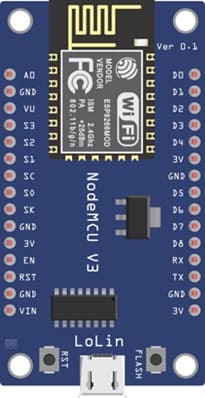
The ESP8266 NodeMCU is the main controller of the system. It is a low-cost Wi-Fi microcontroller used to:
- read data from the HC-SR04 sensor
- process the distance values
- calculate the water level
- send results to the LCD display
It acts as the “brain” of the project.
2. HC-SR04 sensor
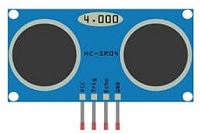
The HC-SR04 sensor is used to measure the distance between the sensor and the water surface. It works by transmitting ultrasonic waves and receiving the reflected waves from the water.
3. LCD Display with I2C Module
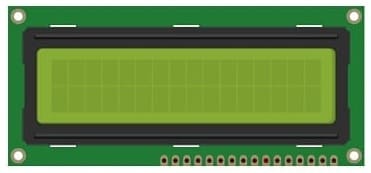
The LCD I2C display is used to show the water level information in real time. It can display percentage values and graphical bars representing the water level.
4. Jumper Wires
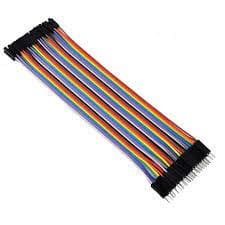
Jumper wires are used to establish electrical connections between the ESP8266 NodeMCU, the sensor, and the LCD display.
5. Breadboard
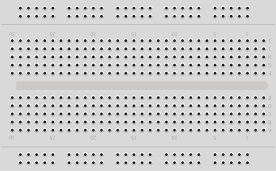
The breadboard is used to connect the electronic components without soldering. It simplifies circuit assembly and testing.
Circuit Connections of system
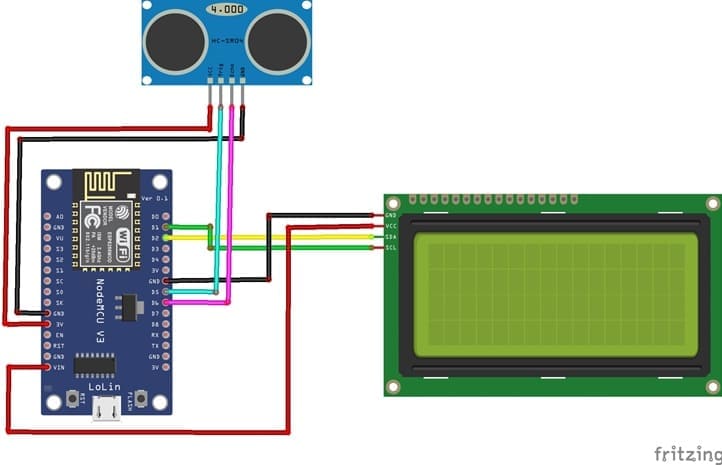
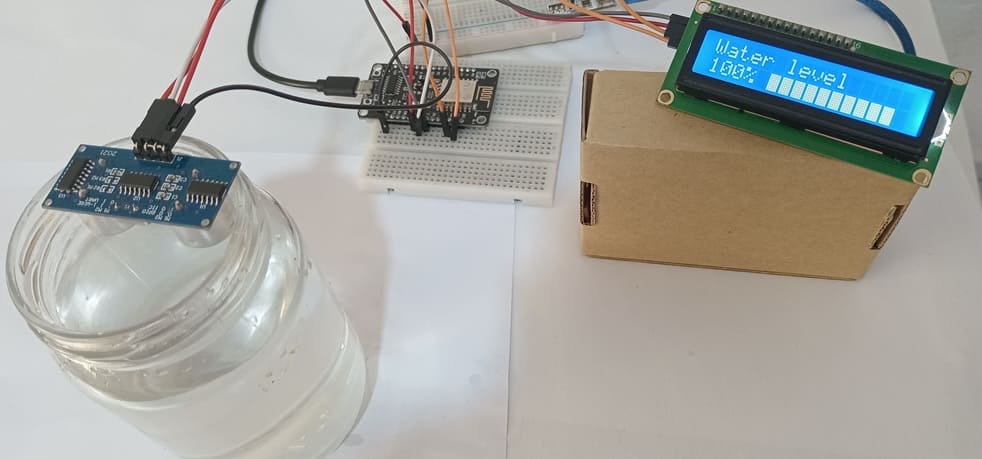
1- Connection of HC-SR04 sensor to ESP8266 NodeMCU
| HC-SR04 sensor | ESP8266 NodeMCU |
|---|---|
| VCC | 5V |
| GND | GND |
| Trig | D5 |
| Echo | D6 |
2- Connection of LCD I2C display to ESP8266 NodeMCU
| LCD I2C display | ESP8266 NodeMCU |
|---|---|
| VCC | 5V |
| GND | GND |
| SDA | D2 |
| SCL | D1 |
MicroPython code for ESP8266 NodeMCU
This MicroPython program is designed to implement a smart water level monitoring system using an ESP8266 NodeMCU board, an HC-SR04, and an LCD I2C display.
You need to install this two libraries : i2c_lcd et lcd_api for I2C LCD screen.
|
1 2 3 4 5 6 7 8 9 10 11 12 13 14 15 16 17 18 19 20 21 22 23 24 25 26 27 28 29 30 31 32 33 34 35 36 37 38 39 40 41 42 43 44 45 46 47 48 49 50 51 52 53 54 55 56 57 58 59 60 61 62 63 64 65 66 67 68 69 70 71 72 73 74 75 76 77 78 79 80 81 82 83 84 85 86 87 88 89 90 91 92 93 94 95 96 97 98 99 100 101 102 103 104 105 106 107 108 109 110 111 112 113 114 115 116 117 118 119 120 121 122 123 |
from machine import Pin, I2C, time_pulse_us from time import sleep, sleep_us from i2c_lcd import I2cLcd # ============================== # I2C + LCD (ESP8266 NodeMCU) # SCL = D1 (GPIO5), SDA = D2 (GPIO4) # ============================== # Initialize I2C communication for LCD display i2c = I2C(scl=Pin(5), sda=Pin(4), freq=100000) # Initialize LCD (I2C address = 0x27, size = 2 rows x 16 columns) lcd = I2cLcd(i2c, 0x27, 2, 16) # ============================== # HC-SR04 ULTRASONIC SENSOR # ============================== # TRIG sends ultrasonic pulse TRIG = Pin(14, Pin.OUT) # D5 (GPIO14) # ECHO receives reflected pulse ECHO = Pin(12, Pin.IN) # D6 (GPIO12) # Maximum height of the water container (cm) MAX_HEIGHT = 6.5 # ============================== # LCD GRAPHIC BAR (CUSTOM CHARACTERS) # ============================== # Create 6 levels of bar graph (0 to full block) bar_chars = [ bytearray([0,0,0,0,0,0,0,0]), # empty block bytearray([16,16,16,16,16,16,16,16]), bytearray([24,24,24,24,24,24,24,24]), bytearray([28,28,28,28,28,28,28,28]), bytearray([30,30,30,30,30,30,30,30]), bytearray([31,31,31,31,31,31,31,31]) # full block ] # Load custom characters into LCD memory for i in range(6): lcd.custom_char(i, bar_chars[i]) # Display static title on first row lcd.move_to(0, 0) lcd.putstr("Niveau d'eau ") # ============================== # FUNCTION: MEASURE DISTANCE # ============================== def measure_distance(): # Send ultrasonic trigger pulse TRIG.off() sleep_us(2) TRIG.on() sleep_us(10) TRIG.off() # Measure echo pulse duration (timeout = 30ms) duration = time_pulse_us(ECHO, 1, 30000) # If no signal is received, return 0 if duration < 0: return 0 # Convert time to distance (cm) distance = (duration * 0.034) / 2 return distance # ============================== # FUNCTION: MAP VALUE RANGE # ============================== # Converts a value from one range to another def map_value(x, in_min, in_max, out_min, out_max): return int((x - in_min) * (out_max - out_min) / (in_max - in_min) + out_min) # ============================== # MAIN LOOP # ============================== while True: # Measure distance from sensor to water surface distance = measure_distance() # Calculate water level based on container height water_level = MAX_HEIGHT - (distance - 2.3) # Limit water level between 0 and max height if water_level < 0: water_level = 0 if water_level > MAX_HEIGHT: water_level = MAX_HEIGHT # Convert water level to percentage percent = int((water_level / MAX_HEIGHT) * 100) # Display percentage on LCD (second row) lcd.move_to(0, 1) lcd.putstr(str(percent) + "% ") # Define number of bar segments total_bars = 10 # Convert percentage into 0–50 scale (5 levels per bar) filled = map_value(percent, 0, 100, 0, total_bars * 5) # Start position of bar graph on LCD lcd.move_to(5, 1) # Draw bar graph on LCD for i in range(total_bars): bar_level = filled - (i * 5) if bar_level >= 5: lcd.putchar(chr(5)) # full block elif bar_level > 0: lcd.putchar(chr(bar_level)) # partial block else: lcd.putchar(chr(0)) # empty block # Small delay before next measurement sleep(0.5) |
0 comment
Leave a comment
Passion for robotics
Recent tutorials
Robotics workshop
Polpular tutorials
Making robots
Most commented tutorials
Robotic arm
Categories
Smart Home