Bluetooth control of DC Motor using ESP32 and Smartphone
Tutorial plan
1- Objective of the project
2- Required Components
3- Circuit Connections of system
4- MicroPython program for ESP32 board
5- The mobile app for controlling the motor
Objective of the project
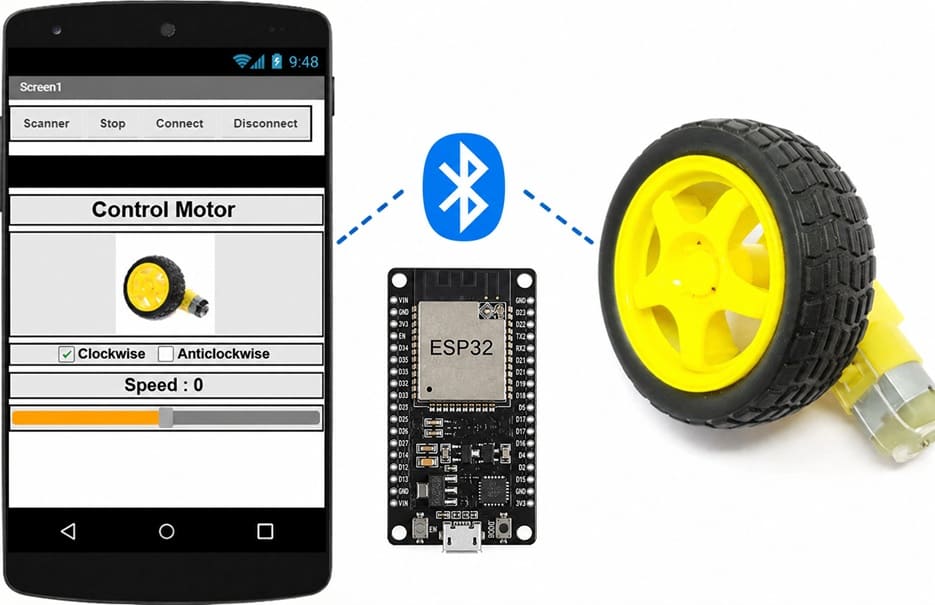
The objective of this project is to design and implement a wireless DC motor control system using an ESP32, a Bluetooth connection, an L298N motor driver module, and a smartphone. The system enables the user to remotely start and stop the motor, change its direction of rotation, and adjust its speed through a mobile application.
Operation
The ESP32 establishes a Bluetooth connection with the smartphone. Once the connection is established, the user sends control commands from the mobile application. The ESP32 receives these commands and processes them to generate the appropriate control signals.
These signals are transmitted to the L298N motor driver module, which provides the required power to the DC motor while controlling its operating state. Depending on the received command, the L298N starts or stops the motor, changes its direction of rotation, or adjusts its speed using Pulse Width Modulation (PWM). An external battery pack supplies the power required by the motor, while the ESP32 manages the control logic.
This wireless system provides a simple and efficient way to control a DC motor remotely using a smartphone, making it suitable for robotics, automation, and educational applications.
Required Components
1. ESP32 board
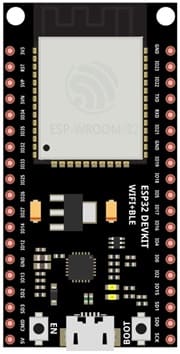
The ESP32 is a powerful microcontroller with built-in Bluetooth and Wi-Fi capabilities. It receives the commands sent from the smartphone via Bluetooth, processes them, and generates the control signals required to drive the DC motor.
2. L298N Motor Driver Module :
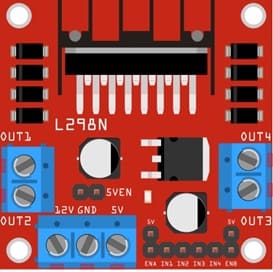
The L298N motor driver module acts as an interface between the ESP32 and the DC motor. It receives the control signals from the ESP32 and supplies the power required by the motor. It controls the motor's operating state, including start, stop, direction of rotation, and speed.
3. DC Motor (5 V)
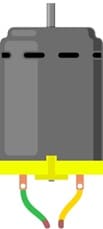
The 5 V DC motor converts electrical energy into mechanical rotational motion. Its speed and direction are controlled by the L298N motor driver according to the commands received from the ESP32.
4. Jumper Wires

Jumper wires are used to connect the ESP32, the L298N module, the power supply, and the DC motor, ensuring reliable transmission of power and control signals.
Breadboard (Optional)
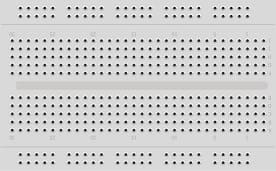
A breadboard provides a convenient platform for assembling and testing the electronic circuit without soldering. It allows components and jumper wires to be connected easily during prototyping.
5. External Power Supply (2 × 3.7 V Batteries)
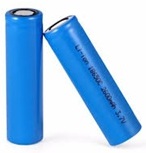
The two 3.7 V rechargeable batteries provide the external power required by the L298N motor driver and the DC motor. This independent power source ensures stable motor operation while preventing excessive current draw from the ESP32.
Circuit Connections of system
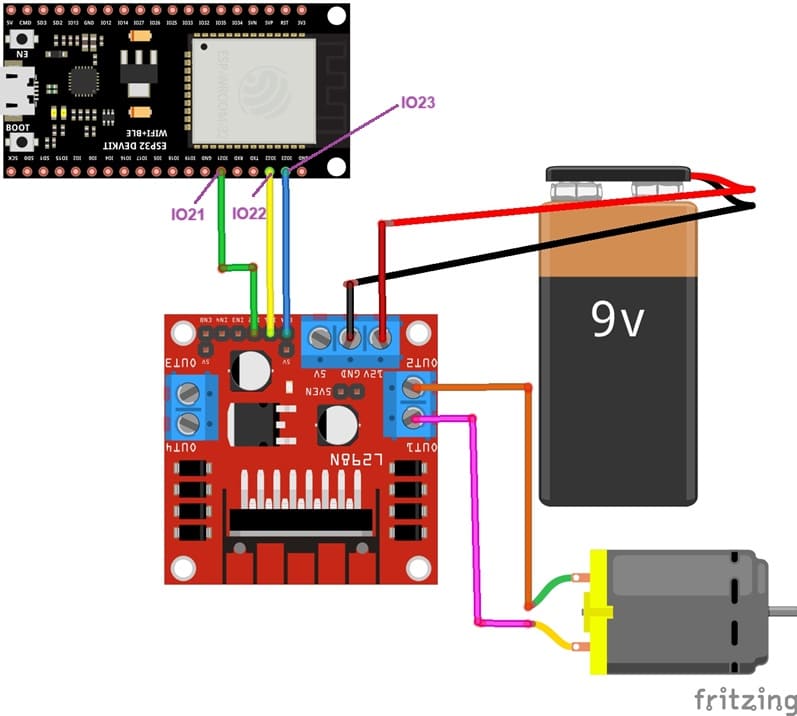
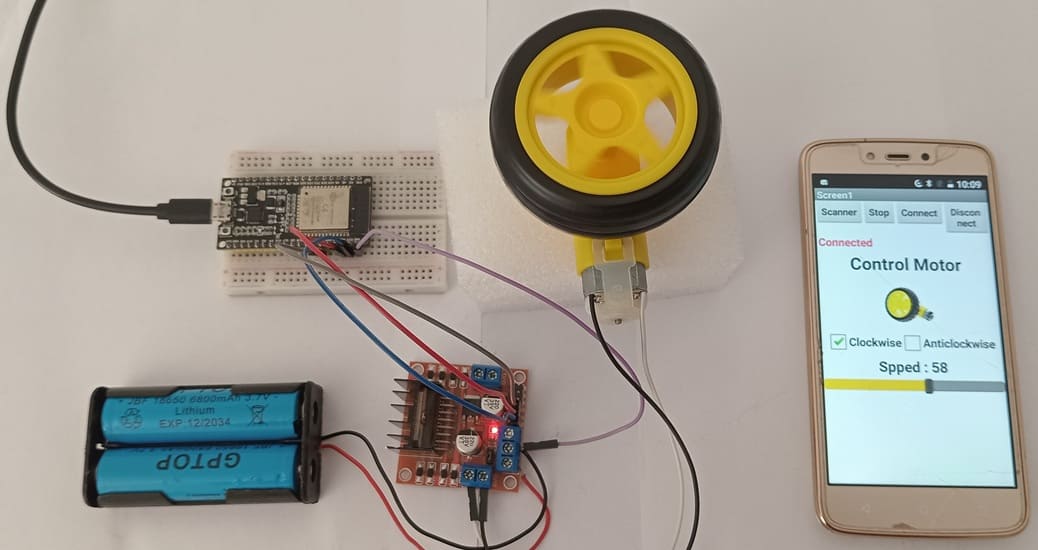
1- L298N to Motor Connections:
OUT1 and OUT2: Connect to the two terminals of Motor.
2- Power Connections:
12V: Connects to the motor power supply (9v battery).
GND: Common ground connection for the motor, ESP32, and power supply.
3- ESP32 to L298N Connections:
ENA: Connects to a PWM-capable GPIO on the ESP32 (e.g., GPIO 23).
IN1 and IN2: Connect to GPIO pins on the ESP32 (e.g., GPIO 21 and GPIO 22).
MicroPython program for ESP32 board
This MicroPython program enables an ESP32 board to wirelessly control the speed and direction of a DC motor via Bluetooth Low Energy (BLE). The ESP32 receives control commands from a smartphone through a BLE UART connection, interprets the received data, and drives the motor using an L298N motor driver module by generating the appropriate PWM and direction signals.
import this three libraries : ble_uart_peripheral.py , ble_advertising.py and DCMotor
|
1 2 3 4 5 6 7 8 9 10 11 12 13 14 15 16 17 18 19 20 21 22 23 24 25 26 27 28 29 30 31 32 33 34 35 36 37 38 39 40 41 42 43 44 45 46 47 48 49 50 51 52 53 54 55 56 57 58 59 60 61 62 63 64 65 66 67 68 69 70 71 72 73 74 75 76 77 78 79 80 81 82 83 84 85 86 87 88 89 90 91 92 93 94 95 96 97 98 99 100 101 102 103 104 105 106 107 108 109 110 111 112 113 114 115 116 117 118 119 120 121 122 123 124 125 126 127 128 129 130 131 132 133 134 135 136 137 138 139 140 |
# ============================================================ # Import the required libraries # ============================================================ # Import UART communication and ESP32 GPIO/PWM functions from machine import UART from machine import Pin, PWM # Import the DC motor driver library from DCMotor import DCMotor # Import delay function from time import sleep # Import the Bluetooth Low Energy (BLE) module import bluetooth # Import the BLE UART service from ble_uart_peripheral import BLEUART # Import time management libraries import time import utime # ============================================================ # DC motor configuration # ============================================================ # PWM frequency used to control the motor speed frequency = 15000 # GPIO pins used to control the motor rotation direction pin1 = Pin(22, Pin.OUT) pin2 = Pin(21, Pin.OUT) # PWM output connected to the ENA pin of the L298N module # It is used to adjust the motor speed enable = PWM(Pin(23), frequency) # Create the first DC motor object dc_motor = DCMotor(pin1, pin2, enable) # Create the motor object with minimum and maximum PWM values # (PWM range: 350 to 1023) dc_motor = DCMotor(pin1, pin2, enable, 350, 1023) # ============================================================ # Bluetooth Low Energy (BLE) configuration # ============================================================ # Initialize the ESP32 Bluetooth controller ble = bluetooth.BLE() # Create a virtual UART interface over BLE uart = BLEUART(ble) # ============================================================ # Motor initialization # ============================================================ # At startup, run the motor forward at the minimum speed dc_motor.forward(1) # ============================================================ # Function executed whenever Bluetooth data is received # ============================================================ def on_rx(): # Read the received Bluetooth data uart_in = uart.read() # Convert the received bytes into a string # Ignore invalid characters and remove extra spaces data = uart_in.decode('utf-8', 'ignore').strip() # -------------------------------------------------------- # Expected message format: # # sensd700 # sensi450 # # sensd : forward rotation # sensi : reverse rotation # 700 : motor speed # -------------------------------------------------------- # Extract the speed value from the received message vitesse = data[5:len(data)] # Extract the motor direction command sens = data[0:5] # Remove any digits to keep only the text # "sensd" or "sensi" sens = ''.join(c for c in sens if not c.isdigit()) # Keep only the numeric characters of the speed value vitesse = ''.join(c for c in vitesse if c.isdigit() or c == '.') # Convert the speed into an integer vitesse = int(vitesse) # ======================================================== # Control the motor according to the received command # ======================================================== # If the command is "sensd", # rotate the motor forward if sens == 'sensd': dc_motor.forward(vitesse) # If the command is "sensi", # rotate the motor backward if sens == 'sensi': dc_motor.backwards(vitesse) # ============================================================ # Register the callback function for Bluetooth reception # ============================================================ # Each time Bluetooth data is received, # the on_rx() function is automatically executed. uart.irq(handler=on_rx) # ============================================================ # Close the BLE UART connection # ============================================================ # This instruction closes the BLE UART service. # In applications that run continuously, # this line is usually removed or executed # only when the program terminates. uart.close() |
More specifically, the program performs the following tasks:
- Initializes the DC motor and configures the GPIO and PWM pins required to drive it.
- Establishes a Bluetooth Low Energy (BLE) UART communication link between the ESP32 and a smartphone.
- Continuously listens for incoming Bluetooth commands.
- Extracts the rotation direction (forward or reverse) and the speed value from each received command.
- Adjusts the motor's direction of rotation and speed according to the received data.
The mobile app for controlling the motor
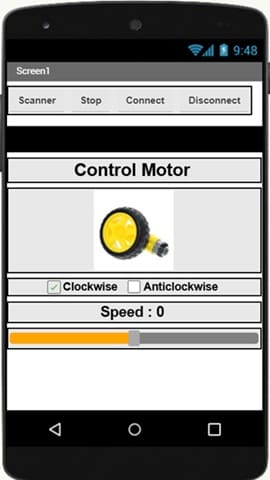
This mobile application is a simple Bluetooth control interface for a DC motor. It is designed to communicate with an ESP32 module and allows the user to control the motor remotely in real time.
At the top of the interface, there are four main control buttons:
- Scanner: used to search for available Bluetooth devices.
- Connect: establishes a Bluetooth connection with the ESP32.
- Disconnect: terminates the Bluetooth connection.
- Stop: immediately stops the motor for safety and control.
The main section of the application is titled “Control Motor” and provides the user interface for motor operation. It includes a visual representation of the motor to make the application more intuitive.
Below the image, the user can select the direction of rotation using two options:
- Clockwise (forward rotation)
- Anticlockwise (reverse rotation)
Only one direction is used at a time depending on the selected control mode.
At the bottom, a speed control slider allows the user to adjust the motor speed. The current speed value is displayed (e.g., “Speed: 0”), and the slider sends the corresponding value to the ESP32 via Bluetooth.
Overall, this application provides an easy-to-use interface for wireless control of a DC motor, combining device connection, direction selection, and speed adjustment in a single screen.
0 comment
Leave a comment
Passion for robotics

Recent tutorials





Robotics workshop

Polpular tutorials





Making robots

Most commented tutorials




Robotic arm

Categories
Smart Home