Intelligent Water Tap System with Micro:bit
Tutorial plan
1- Objective of the project
2- Required Components
3- Circuit Connections of system
4- Makecode program for Micro:bit board
Objective of the project
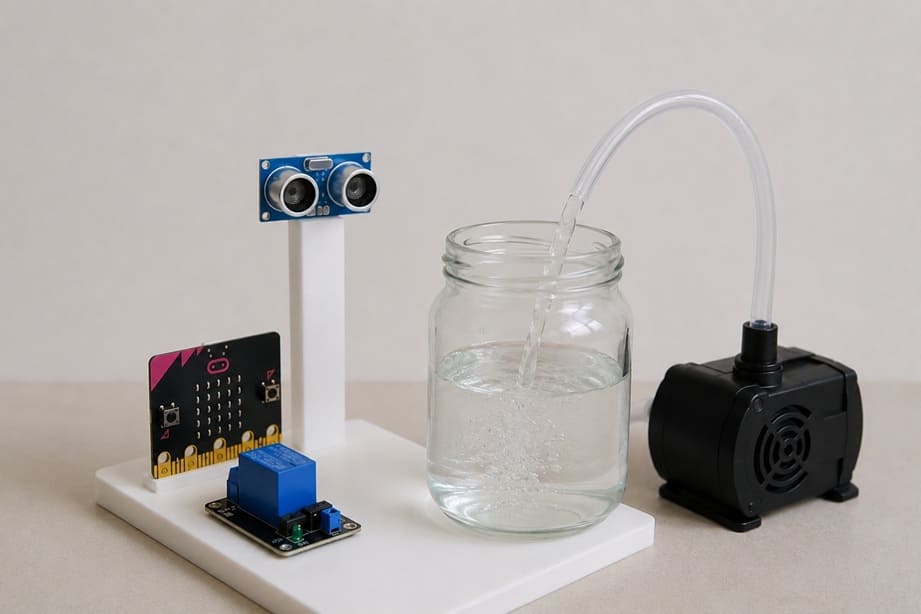
The objective of this project is to develop an Intelligent Water Tap System using Micro:bit that can automatically dispense water without requiring physical contact. The system uses an ultrasonic sensor to detect the presence of a hand, glass, or container and automatically activates a water pump to deliver water. This contactless operation improves hygiene, reduces water waste, and demonstrates the use of sensors and automation in smart systems.
Functioning of the System
The intelligent water tap is controlled by the Micro:bit development board. The HC-SR04 ultrasonic sensor continuously measures the distance between the sensor and nearby objects. When a hand or a glass is placed within a predefined detection range, the sensor sends the measured distance to the Micro:bit.
If the detected distance is less than the programmed threshold value, the Micro:bit activates the relay module. The relay acts as an electronic switch that connects the 12 V water pump to its power supply. Once activated, the pump draws water from the glass water reservoir and pushes it through a tube to dispense water automatically.
When the hand or glass is removed from the detection area, the distance measured by the HC-SR04 increases beyond the threshold. The Micro:bit then deactivates the relay, stopping the water pump and the flow of water. This automatic process ensures convenient, hygienic, and efficient water dispensing while minimizing unnecessary water consumption.
Required Components
1. Micro:bit board
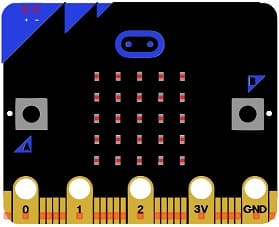
The Micro:bit is the main controller of the system. It receives distance measurements from the HC-SR04 ultrasonic sensor, processes the data, and controls the relay module to turn the water pump on or off according to the detected distance.
2. Micro:bit GPIO Extension Board
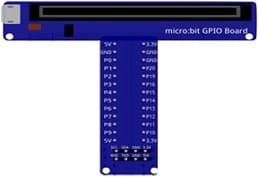
The Micro:bit GPIO extension board simplifies the connection between the Micro:bit board and external electronic components. It provides easy access to GPIO pins, power supply pins, and communication interfaces, making circuit assembly more convenient and reliable.
3. HC-SR04 sensor
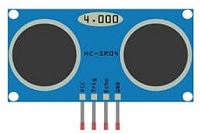
The HC-SR04 is used to detect the presence of a hand, glass, or other object near the water outlet. It emits ultrasonic waves and measures the time taken for the echo to return, allowing it to calculate the distance between the sensor and the object.
4. Relay module
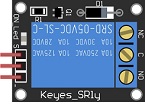
The relay module acts as an electrically controlled switch. It receives control signals from the Micro:bit and allows the low-voltage Micro:bit to safely control the 12 V water pump.
5. 12 V Water Pump
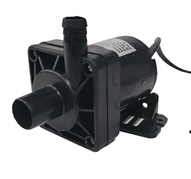
The 12 V water pump is responsible for moving water from the reservoir to the outlet tube. When the relay is activated, the pump starts pumping water. When the relay is deactivated, the pump stops.
6. Jumper Wires

Jumper wires are used to establish electrical connections between the Micro:bit, the HC-SR04 sensor and the relay module.
7. Breadboard
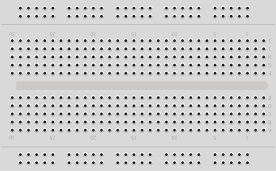
The breadboard is used to connect the electronic components without soldering. It simplifies circuit assembly and testing.
Circuit Connections of system
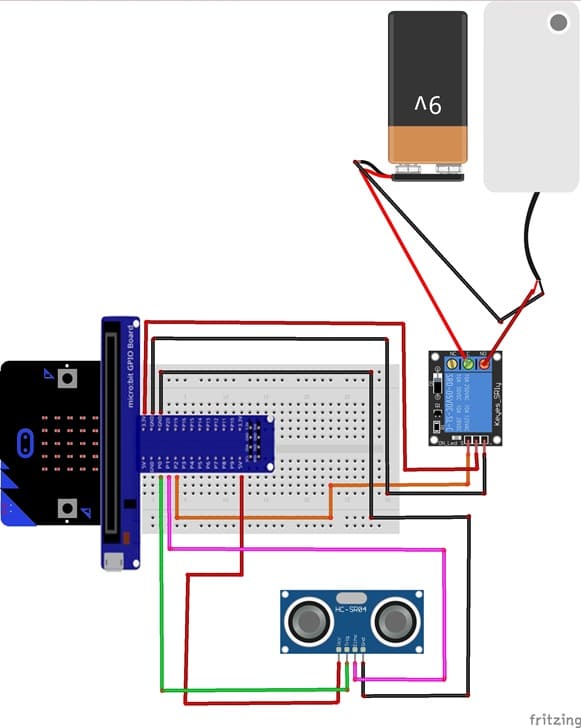
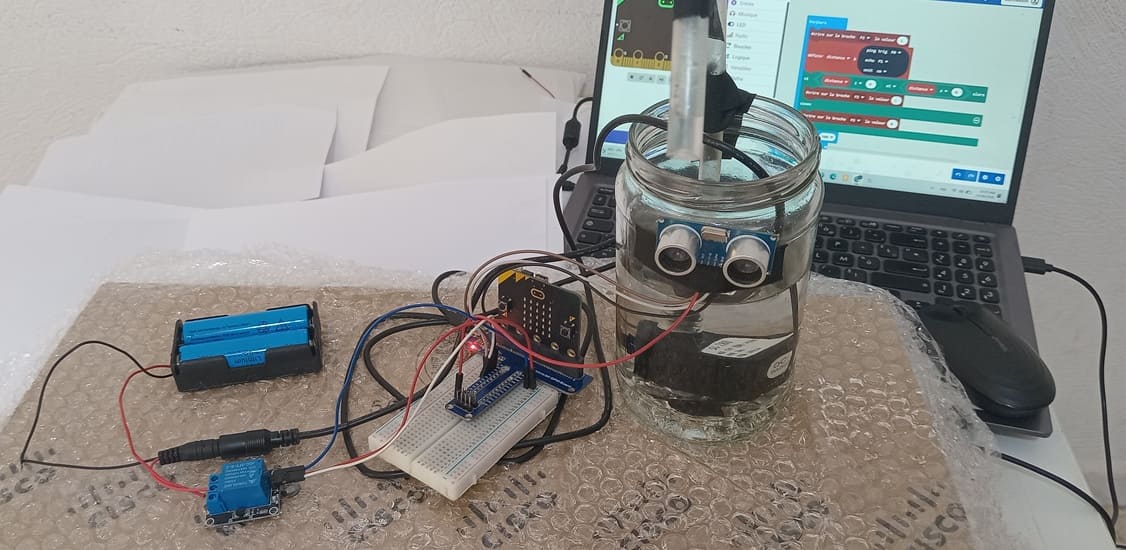
1- Connection of HC-SR04 sensor to Micro:bit
| HC-SR04 sensor | Micro:bit board |
|---|---|
| VCC | 5V of Micro:bit GPIO Extension Board |
| GND | GND |
| Trig | P0 |
| Echo | P1 |
2- Connection of relay module to Microbit
| Relay Module | Micro:bit |
|---|---|
| Positive pin (+) | 3V |
| Negative pin (-) | GND |
| pin (S) | P2 |
3- Connecion of water pump
| Red wire (+) | NO pin (Relay module) |
| Black wire (-) | Negative terminal (two 3.7V coils) |
4- Connection of two 3.7V coils to relay module
| two 3.7V coils | Relay Module |
|---|---|
| Red wire (+) | COM pin |
MakeCode Program for the Micro:bit Board
1- Open the MakeCode editor at https://makecode.microbit.org/.
2- Create a new project by clicking on "New Project."
3- Add the HC-SR04 extension:
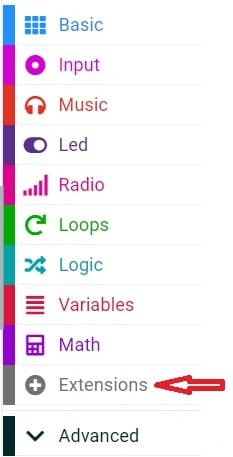
Look for "Extensions" and click on it.
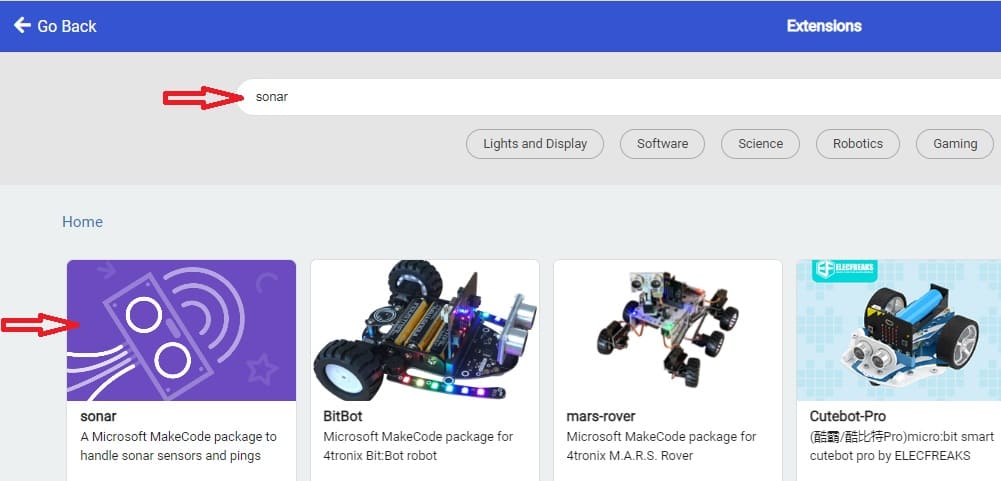
In the search box, type "sonar" to find the HC-SR04 extension.
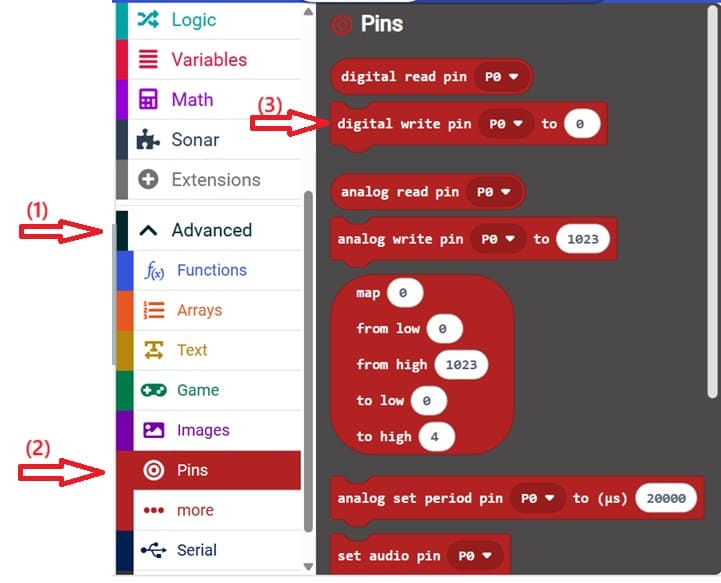
4- Go to advanced and Pin and choose 'servo write pinP0 to 180' instruction :
his MakeCode program controls an intelligent automatic water tap system using a Micro:bit, an HC-SR04 ultrasonic sensor, and a relay module connected to a water pump.
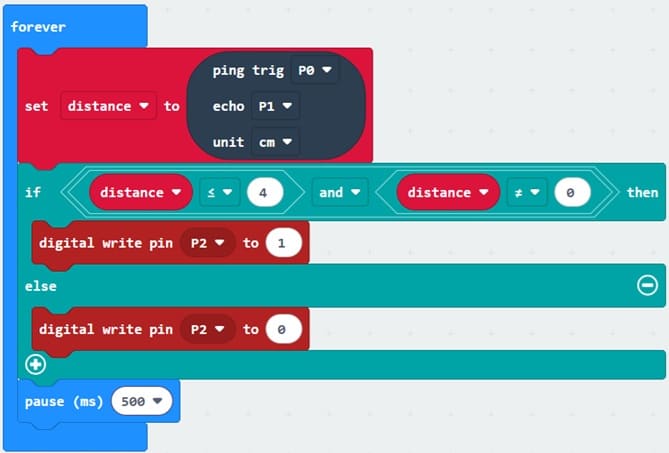
Explanation of the program
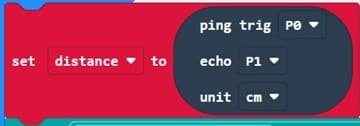
The program continuously measures the distance between the HC-SR04 sensor and a nearby object. The sensor uses pin P0 as the trigger pin and pin P1 as the echo pin. The measured distance is stored in the variable distance and expressed in centimeters.
When an object, such as a hand or a glass, is detected at a distance of 4 cm or less, the condition distance <= 4 && distance != 0 becomes true.

The Micro:bit then sets pin P2 to a HIGH state (1), activating the relay module. As a result, the relay switches on the water pump, allowing water to flow automatically.

If no object is detected within 4 cm, the condition becomes false. The Micro:bit sets pin P2 to a LOW state (0), deactivating the relay module and stopping the water pump. Consequently, the water flow is interrupted.

The program repeats this process continuously with a 500-millisecond delay between measurements, ensuring automatic and contactless control of the water dispensing system.

0 comment
Leave a comment
Passion for robotics

Recent tutorials





Robotics workshop

Polpular tutorials





Making robots

Most commented tutorials




Robotic arm

Categories
Smart Home