Controlling Servo Motor with ESP32 via Bluetooth and Smartphone
Tutorial plan
1- Objective of the project
2- Required Components
3- Circuit Connections of system
4- MicroPython program for ESP32 board
5- The mobile app for controlling the servo motor
Objective of the project
The objective of this project is to control the position of a servo motor wirelessly using an ESP32 board, Bluetooth Low Energy (BLE), and a smartphone. The user can select or modify the desired servo angle through a mobile application. The command is then transmitted via Bluetooth to the ESP32, which processes the received data and positions the servo motor at the requested angle.
Functioning
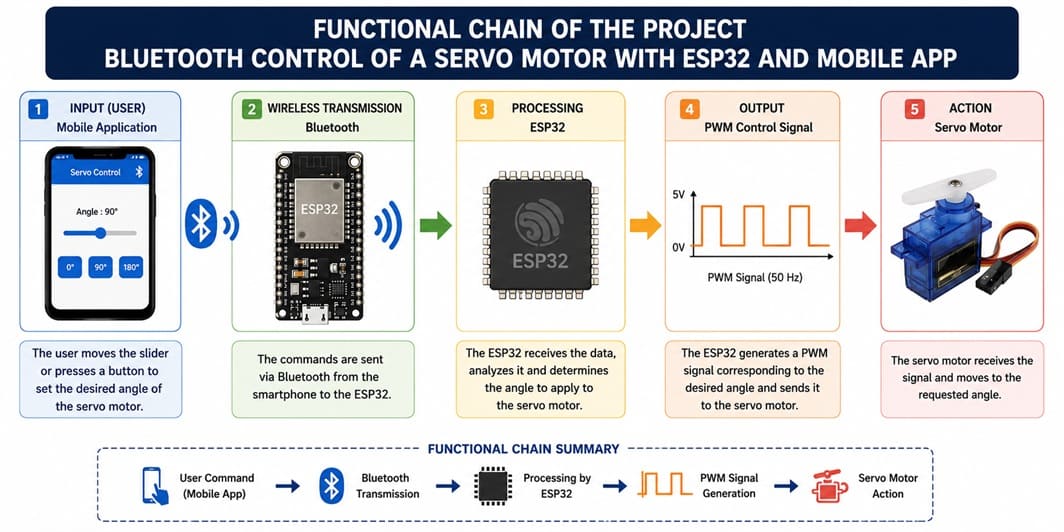
The system operates as follows:
1- The user selects a desired servo motor angle using the smartphone application.
2- The application sends the angle value via Bluetooth Low Energy (BLE).
3- The ESP32 receives the command through its Bluetooth communication interface.
4- The ESP32 processes the received angle value.
4- The ESP32 generates the appropriate PWM signal for the servo motor.
5- The servo motor rotates to the corresponding position.
Thus, the smartphone acts as a wireless control interface, while the ESP32 serves as the control unit responsible for receiving commands and controlling the servo motor precisely.
Required Components
1. ESP32 board
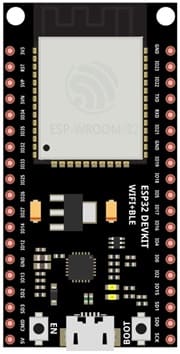
The ESP32 is the main control unit of the project. It receives the commands sent by the smartphone via Bluetooth Low Energy (BLE) and generates the appropriate control signal for the servo motor. Thanks to its integrated Bluetooth communication, no additional Bluetooth module is required.
2. Servo Motor
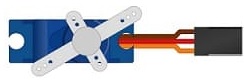
The servo motor is an actuator that can rotate to a specific angular position, generally between 0° and 180°, depending on the model. It receives a PWM control signal from the ESP32 and moves to the angle selected by the user.
4. Jumper Wires
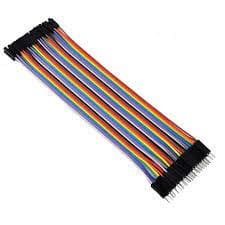
Jumper wires are used to make the electrical connections between the ESP32 board, the GPIO expansion board and the servo motor.
5. Breadboard
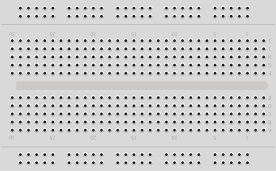
The breadboard is a solderless prototyping board used to build and test electronic circuits quickly and easily.
Circuit Connections of system
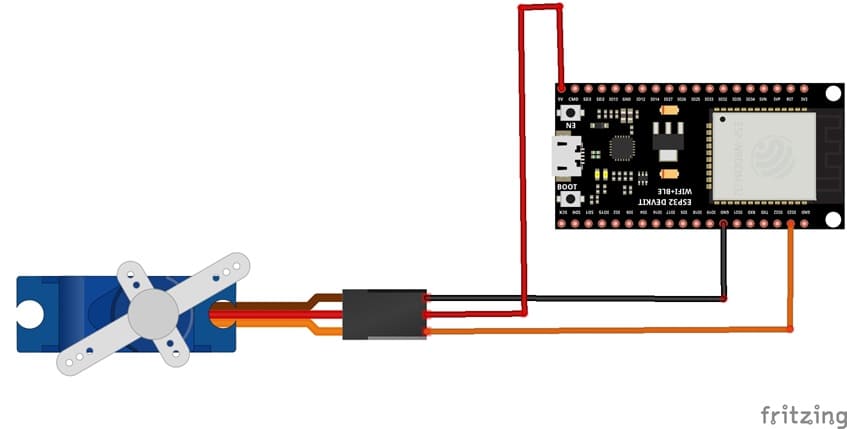
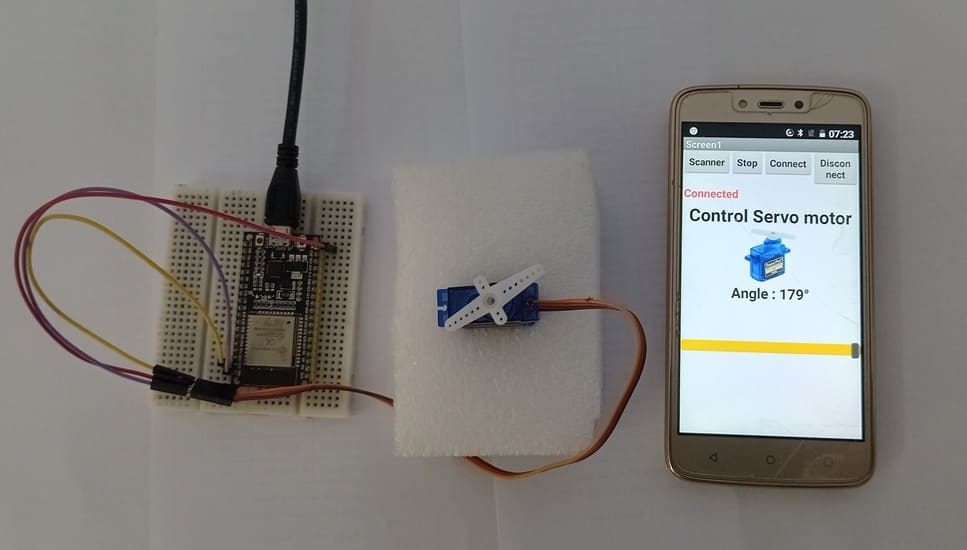
1- Connect the servo motor's signal wire (usually yellow or orange) to pin GPIO23 of the ESP32 board.
2- Connect the servo motor's power supply wire (VCC), usually red, to the 5V pin of the ESP32 Board.
3- Connect the servo motor's ground wire (GND), usually black or brown, to a GND pin on the ESP32 board.
MicroPython program for ESP32 board
This MicroPython program allows the user to control the position of a servo motor connected to an ESP32 using a smartphone via Bluetooth Low Energy (BLE).
You need instal this librairies :
- Servo for servo motor.
- ble_uart_peripheral.py et ble_advertising.py for Bluetooth communication
|
1 2 3 4 5 6 7 8 9 10 11 12 13 14 15 16 17 18 19 20 21 22 23 24 25 26 27 28 29 30 31 32 33 34 35 36 37 38 39 40 41 42 43 44 45 46 47 48 49 50 51 52 53 54 55 56 57 58 59 60 61 62 63 64 65 66 67 68 69 70 71 72 73 74 75 76 77 78 79 80 81 82 83 84 85 86 87 88 89 90 91 92 93 94 95 96 97 98 99 100 101 102 |
# ============================================================ # Import the required libraries # ============================================================ # Import the necessary classes for UART communication, # GPIO pin control, and PWM signal generation from machine import UART from machine import Pin, PWM # Import the Servo class used to control the servo motor from servo import Servo # Import the sleep function to create delays from time import sleep # Import the Bluetooth Low Energy (BLE) module import bluetooth # Import the UART service used to exchange data # between the ESP32 and the smartphone via Bluetooth BLE from ble_uart_peripheral import BLEUART # Import time management libraries import time import utime # ============================================================ # Servo motor configuration # ============================================================ # Create a Servo object connected to GPIO pin 23 of the ESP32 # Change pin=23 according to the GPIO pin used to connect the servo motor servo_motor = Servo(pin=23) # Set the initial position of the servo motor to 0 degrees servo_motor.move(0) # ============================================================ # Bluetooth Low Energy (BLE) communication configuration # ============================================================ # Initialize the ESP32 Bluetooth controller ble = bluetooth.BLE() # Create a virtual UART interface using Bluetooth BLE # This interface allows commands sent by the mobile application # to be received by the ESP32 uart = BLEUART(ble) # ============================================================ # Function executed when Bluetooth data is received # ============================================================ def on_rx(): # Read the data received via Bluetooth # The data is received as bytes uart_in = uart.read() # Convert the received bytes into a character string # 'ignore' ignores invalid characters # strip() removes spaces and line breaks message = uart_in.decode('utf-8', 'ignore').strip() # Keep only the part of the message located # before the '#' character # # Example: # Received message: "44.0#" # Result: "44.0" message = message[0:message.find('#')] # Extract the digits and the decimal point # # Example: # "44.0" remains "44.0" angle = ''.join(c for c in message if c.isdigit() or c == '.') # Convert the value into a floating-point number, # then into an integer, and move the servo motor # to the requested angle servo_motor.move(int(float(angle))) # ============================================================ # Register the Bluetooth reception function # ============================================================ # The on_rx() function is automatically called # whenever new Bluetooth data is received uart.irq(handler=on_rx) # ============================================================ # Close the BLE UART communication # ============================================================ uart.close() |
The mobile app for controlling the servo motor
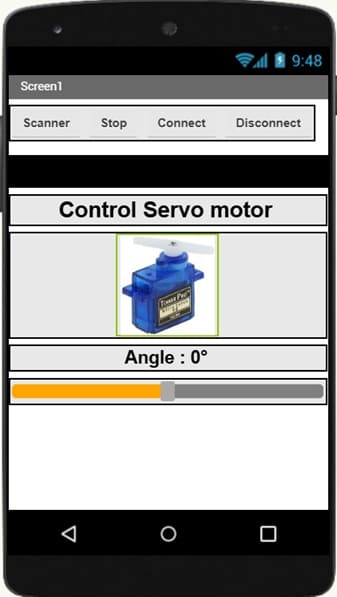
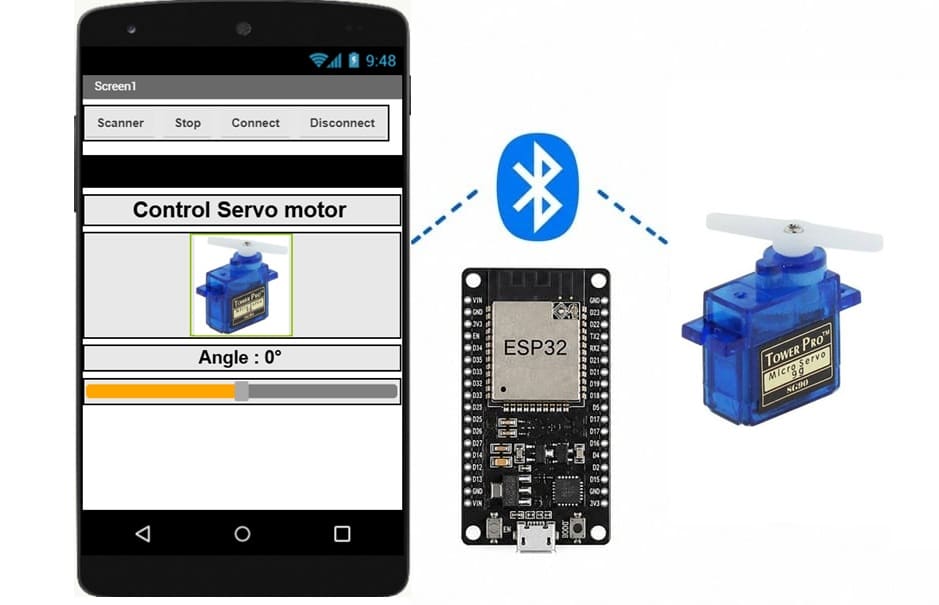
This mobile application, developed with MIT App Inventor, is designed to control the position of a servo motor connected to an ESP32 via Bluetooth Low Energy (BLE).
At the top of the interface, the Scanner button allows the application to search for nearby Bluetooth devices. The Connect button establishes a Bluetooth connection between the smartphone and the ESP32, while the Disconnect button terminates the connection. The Stop button can be used to stop or interrupt the communication or the servo motor control.
The central part of the application displays the title “Control Servo motor” and an image representing the servo motor being controlled. This provides a clear visual indication of the purpose of the application.
The current angular position of the servo motor is displayed below the image. In the example shown, the value is “Angle : 0°”. A slider located below this indicator allows the user to select the desired angle. By moving the slider, the user can vary the servo motor's position, generally between 0° and 180°.
When the user changes the slider position, the application sends the corresponding angle value to the ESP32 via Bluetooth. The ESP32 receives this value and controls the servo motor, which moves to the selected position. Thus, the application provides a simple and intuitive interface for wirelessly controlling a servo motor in real time.
0 comment
Leave a comment
Passion for robotics
Recent tutorials
Robotics workshop
Polpular tutorials
Making robots
Most commented tutorials
Robotic arm

Categories
Smart Home