Automatic water tap system using ESP32 board
Tutorial plan
1- Objective of the project
2- Required Components
3- Circuit Connections of system
4- MicroPython program for ESP32
Objective of the project
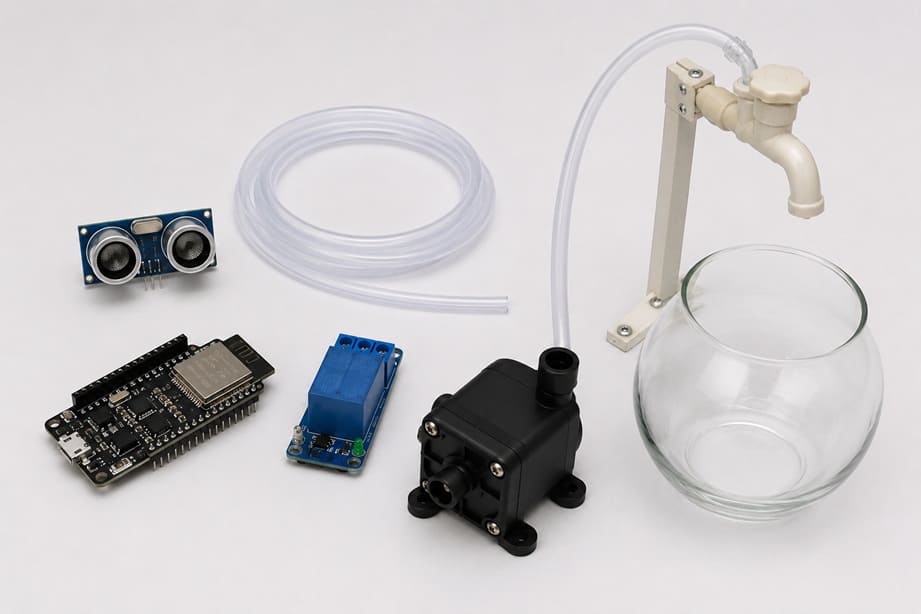
The objective of the Automatic Water Tap System Using ESP32 is to create a touch-free water dispensing system. It automatically supplies water when a hand, a cup, or another object is placed close to the tap. This project helps reduce water waste, improves hygiene, and demonstrates how an electronic control board can automate a simple daily task.
Functioning of the System
The Espressif Systems ESP32 board continuously reads the distance measured by the HC-SR04 ultrasonic sensor. The sensor sends ultrasonic waves and detects their reflection to determine whether an object is near the tap.
When the measured distance is lower than a predefined value, for example 4 cm, the ESP32 activates the relay module. The relay acts as an electrically controlled switch and connects the power supply to the 12 V water pump.
The pump then draws water from the container and sends it through the plastic tube to the tap outlet. Water flows automatically as long as the hand or cup remains in front of the sensor.
When the object is moved away, the distance becomes greater than the selected threshold. The ESP32 turns off the relay, which stops the water pump and interrupts the water flow.
Required Components
1. ESP32 Board
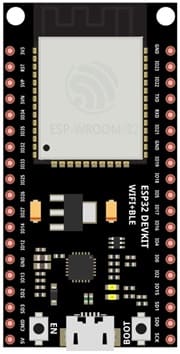
The ESP32 is the main control unit of the system. It reads the distance detected by the ultrasonic sensor and decides when to activate or stop the water pump through the relay module.
2. HC-SR04 sensor
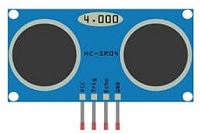
This sensor measures the distance between the tap and an object, such as a hand or a cup. It sends ultrasonic waves and receives their echo. When an object is detected at a short distance, it sends information to the ESP32.
3. Relay module
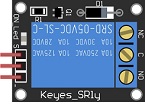
The relay module works as an electrically controlled switch. It receives a low-voltage control signal from the ESP32 and safely switches the 12 V power supply of the water pump on or off.
4. 12 V Water Pump
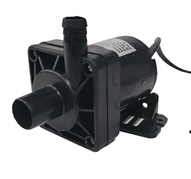
The water pump draws water from the container and pushes it through the plastic tube toward the tap outlet. It operates only when the relay module is activated.
5. Jumper Wires

These wires are used to connect the ESP32, the HC-SR04 sensor, and the relay module together.
6. Breadboard:
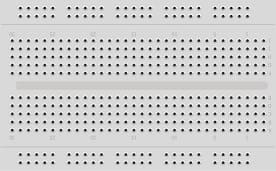
The breadboard allows the electronic components to be connected and tested without soldering.
Circuit Connections of system
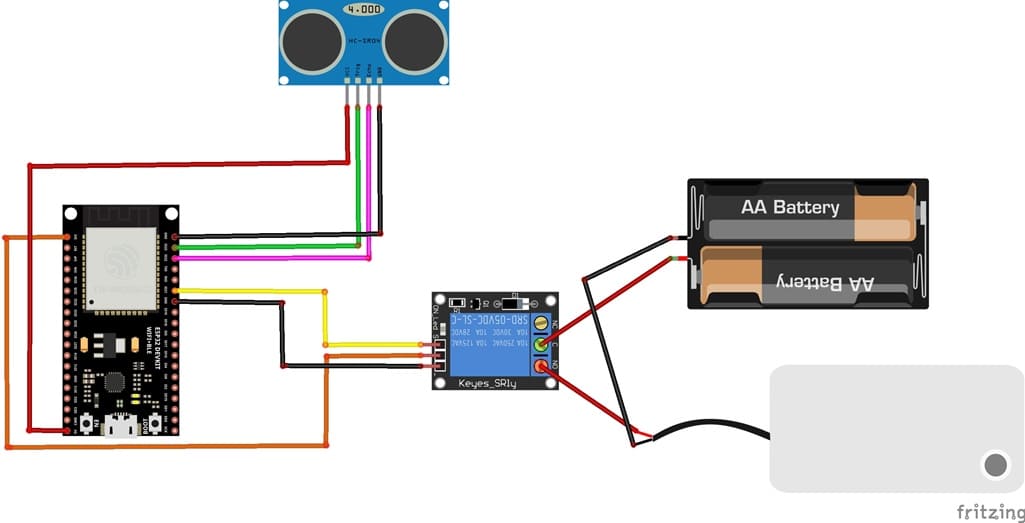
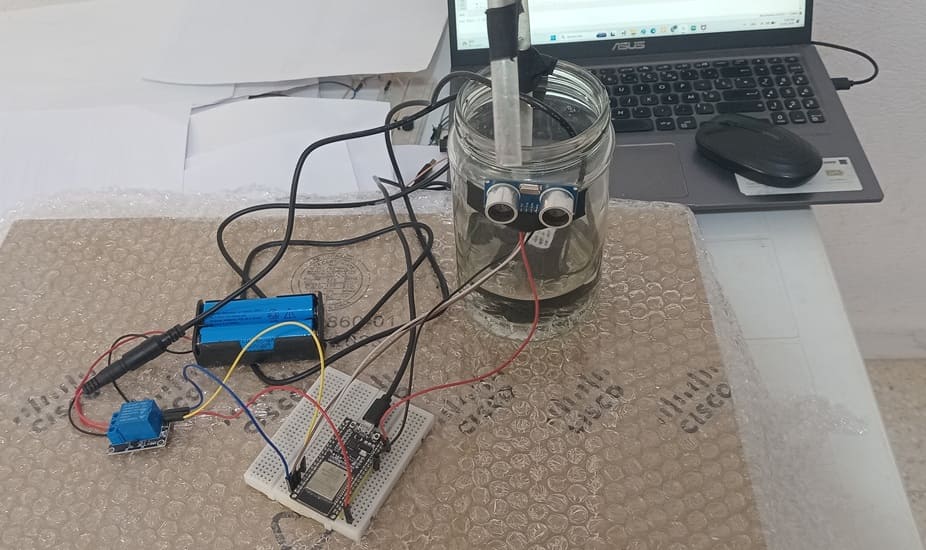
1- Connection of HC-SR04 sensor to ESP32 board
| HC-SR04 sensor | ESP32 board |
|---|---|
| VCC | 5V |
| GND | GND |
| Trig | GPIO 23 |
| Echo | GPIO 22 |
2- Connection of relay module to ESP32 board
| Relay Module | ESP32 board |
|---|---|
| Positive pin (+) | 3V |
| Negative pin (-) | GND |
| pin (S) | GPIO 21 |
3- Connecion of water pump
| Red wire (+) | NO pin (Relay module) |
| Black wire (-) | Negative terminal (two 3.7V coils) |
4- Connection of two 3.7V coils to relay module
| two 3.7V coils | Relay Module |
|---|---|
| Red wire (+) | COM pin |
MicroPython program for ESP32
This MicroPython program controls an automatic water tap using an ESP32 board, an HC-SR04 ultrasonic sensor, a relay module, and a 12 V water pump. Its purpose is to detect a hand, glass, or container near the sensor and automatically start the pump to supply water.
You must install this library : hc-sr04 for HC-SR04 sensor
|
1 2 3 4 5 6 7 8 9 10 11 12 13 14 15 16 17 18 19 20 21 22 23 24 25 26 27 28 29 30 31 32 33 34 35 36 37 38 39 40 41 42 43 44 45 46 47 48 49 50 51 52 53 54 55 56 57 58 59 60 61 62 63 64 65 66 67 68 69 70 71 72 73 |
# ========================================================== # PROJECT: Automatic water tap system using an HC-SR04 # ultrasonic sensor and a relay to control a water pump # ========================================================== # ========================================================== # Import required libraries # ========================================================== import machine # Provides access to the ESP32 GPIO pins from machine import Pin # Imports the Pin class for GPIO control from hcsr04 import HCSR04 # HC-SR04 ultrasonic sensor library import time # Used for delays and timing functions # ========================================================== # INITIALIZE THE HC-SR04 ULTRASONIC SENSOR # ========================================================== # trigger_pin: sends the ultrasonic pulse # echo_pin: receives the reflected ultrasonic signal # echo_timeout_us: maximum waiting time for the echo signal sensor = HCSR04( trigger_pin=23, echo_pin=22, echo_timeout_us=1000000 ) # ========================================================== # INITIALIZE THE RELAY MODULE FOR WATER PUMP CONTROL # ========================================================== # The relay input pin is connected to ESP32 GPIO21. # The relay safely switches the 12 V water pump ON and OFF. relay_pump = Pin(21, Pin.OUT) # ========================================================== # MAIN LOOP: RUNS CONTINUOUSLY # ========================================================== while True: # ====================================================== # MEASURE THE DISTANCE # ====================================================== # The ultrasonic sensor measures the distance between # the sensor and an object placed in front of it, # such as a hand, a glass, or a container. distance = sensor.distance_cm() # Display the measured distance for testing purposes. # print("Distance =", distance, "cm") # ====================================================== # DETECT A NEARBY OBJECT # ====================================================== # If an object is detected closer than 5.5 cm # and the measured distance is greater than zero, # turn on the relay and start the water pump. if distance < 5.5 and distance > 0: # Activate the relay: water pump ON relay_pump.value(1) else: # ================================================== # NO OBJECT DETECTED NEAR THE SENSOR # ================================================== # Deactivate the relay: water pump OFF relay_pump.value(0) # ====================================================== # DELAY BETWEEN TWO MEASUREMENTS # ====================================================== # This delay prevents measurements from being taken # too quickly and helps keep the system stable. time.sleep_ms(500) |
Program Description
At the beginning of the program, the required libraries are imported. The Pin class is used to control the ESP32 GPIO pins, the HCSR04 library is used to communicate with the ultrasonic sensor, and the time library is used to create delays between measurements.
The HC-SR04 ultrasonic sensor is then initialized. Its trigger pin is connected to GPIO23, while its echo pin is connected to GPIO22. The trigger pin sends an ultrasonic pulse, and the echo pin receives the reflected signal. By measuring the time taken for the signal to return, the sensor calculates the distance between the sensor and the object placed in front of it.
Next, the relay module is connected to GPIO21 of the ESP32. The relay acts as an electrically controlled switch. It allows the ESP32, which works with low-voltage signals, to control the 12 V water pump safely.
Inside the infinite while True loop, the ESP32 continuously measures the distance using the instruction sensor.distance_cm(). This value is stored in the variable called distance.
The program checks whether the detected object is closer than 5.5 cm and whether the measured value is greater than zero. If this condition is true, the ESP32 sends a HIGH signal to the relay using relay_pump.value(1). The relay is activated, and the 12 V water pump starts pumping water through the tube.
If no object is detected, or if the object is farther than 5.5 cm, the program sends a LOW signal to the relay using relay_pump.value(0). The relay is deactivated, and the water pump stops.
Finally, the instruction time.sleep_ms(500) creates a delay of 500 milliseconds before the next distance measurement. This prevents the sensor from reading too quickly and helps keep the system stable.
0 comment
Leave a comment
Passion for robotics

Recent tutorials





Robotics workshop

Polpular tutorials





Making robots

Most commented tutorials




Robotic arm

Categories
Smart Home