Smart Water Tap Using Arduino UNO
Tutorial plan
1- Objective of the project
2- Required Components
3- Circuit Connections of system
4- Arduino program for Arduino UNO
Objective of the project
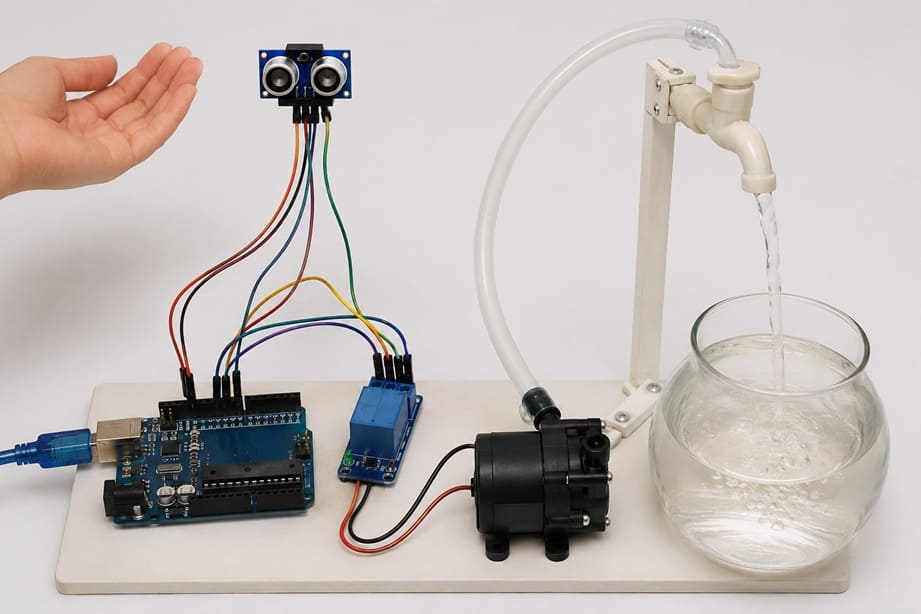
The objective of this project is to design and build a smart water tap system using an Arduino UNO, an HC-SR04 ultrasonic sensor, a relay module, a 12V water pump, and a glass water tank. The system automatically dispenses water when a user's hand or a container is detected near the outlet. This contactless operation improves hygiene, reduces water wastage, and demonstrates the use of sensors and automation in everyday applications.
Working Principle
The HC-SR04 ultrasonic sensor continuously measures the distance between the sensor and any object placed in front of it. The sensor sends distance information to the Arduino UNO.
When a hand or a glass is detected within a predefined distance, the Arduino activates the relay module. The relay acts as an electronic switch and supplies power to the 12V water pump.
Once activated, the water pump draws water from the glass tank and delivers it through a tube, allowing water to flow automatically. When the hand or container is removed and no object is detected within the specified range, the Arduino deactivates the relay. The relay then cuts the power to the pump, stopping the water flow.
This automatic process enables efficient and touch-free water dispensing while conserving water by operating the pump only when needed.
Required Components
1. Arduino UNO
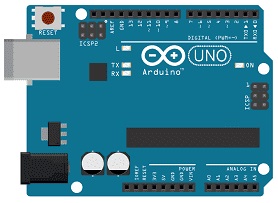
The Arduino UNO is the main controller of the system. It receives distance measurements from the HC-SR04 ultrasonic sensor, processes the data according to the programmed instructions, and controls the relay module to switch the water pump on or off.
2. HC-SR04 sensor
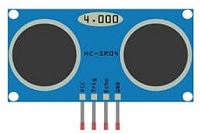
The HC-SR04 is used to detect the presence of a hand or a container near the water outlet. It measures the distance to an object by emitting ultrasonic waves and receiving their echoes. The measured distance is sent to the Arduino UNO for processing.
3. Relay module
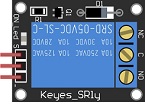
The relay module acts as an electrically controlled switch. It allows the low-voltage Arduino UNO to safely control the 12V water pump. When the Arduino sends a control signal, the relay connects or disconnects the power supplied to the pump.
4. 12 V Water Pump
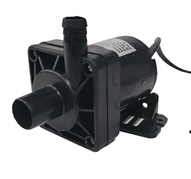
The 12V water pump is responsible for moving water from the tank to the outlet tube. It starts pumping water when it receives power through the relay module and stops when the power is disconnected.
5. Jumper Wires

Jumper wires are used to establish electrical connections between the Arduino UNO, the HC-SR04 sensor and the relay module.
Circuit Connections of system
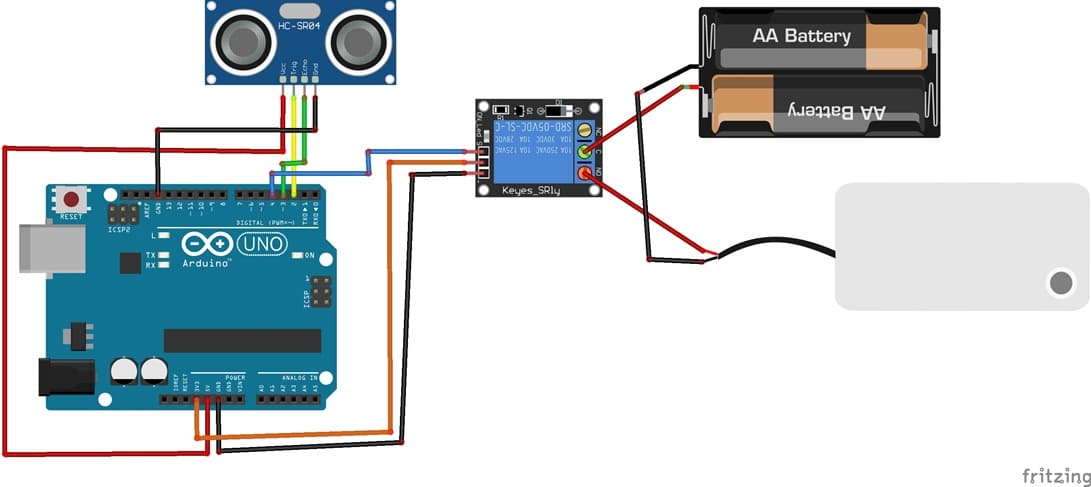
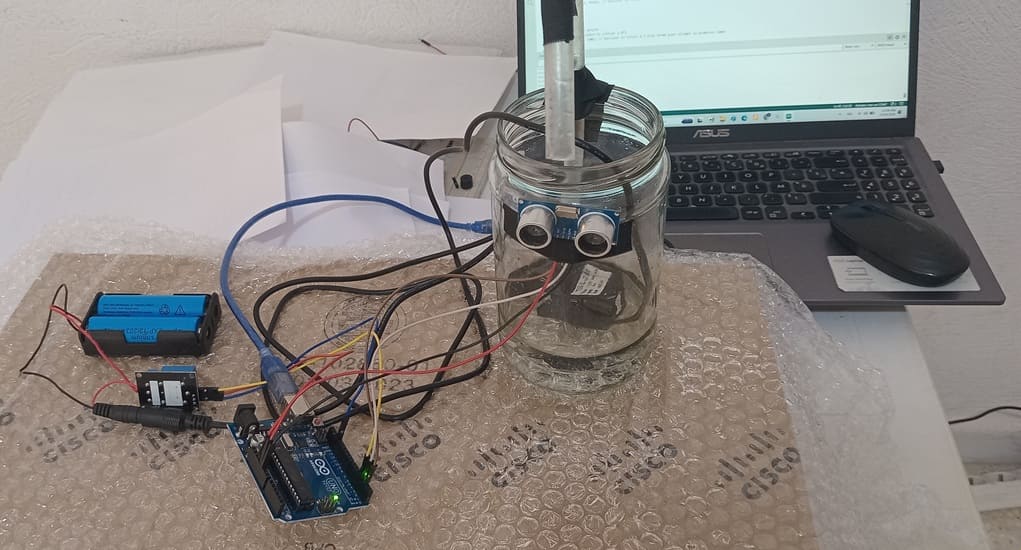
1- Connection of HC-SR04 sensor to Arduino UNO
| HC-SR04 sensor | Arduino UNO |
|---|---|
| VCC | 5V |
| GND | GND |
| Trig | D2 |
| Echo | D3 |
2- Connection of relay module to Arduino UNO
| Relay Module | Arduino UNO |
|---|---|
| Positive pin (+) | 3V |
| Negative pin (-) | GND |
| pin (S) | D4 |
3- Connecion of water pump
| Red wire (+) | NO pin (Relay module) |
| Black wire (-) | Negative terminal (two 3.7V coils) |
4- Connection of two 3.7V coils to relay module
| two 3.7V coils | Relay Module |
|---|---|
| Red wire (+) | COM pin |
Arduino program for Arduino UNO
This program implements a smart touchless water tap system using an Arduino UNO, an HC-SR04 ultrasonic sensor, and a relay module. The ultrasonic sensor continuously measures the distance between itself and any object placed in front of it, such as a hand or a glass.
You must install this library : Ultrasonic for HC-SR04 sensor
|
1 2 3 4 5 6 7 8 9 10 11 12 13 14 15 16 17 18 19 20 21 22 23 24 25 26 27 28 29 30 31 32 33 34 35 36 37 38 39 40 41 42 43 44 45 46 47 48 49 50 51 52 53 54 55 56 57 58 59 60 61 62 63 |
// ====================================================== // Import required libraries // ====================================================== #include "Ultrasonic.h" // Library for the HC-SR04 ultrasonic sensor #include <Servo.h> // Library for servo motor control // ====================================================== // Component declaration and initialization // ====================================================== // Create the ultrasonic sensor object // Trig pin connected to D2 and Echo pin connected to D3 Ultrasonic ultrasonic(2, 3); // Variable reserved for servo position int pos = 0; // ====================================================== // Setup function // ====================================================== void setup() { // Initialize serial communication // Used to display distance measurements // on the Serial Monitor Serial.begin(9600); // Configure pin 4 as an output // This pin controls the relay module pinMode(4, OUTPUT); } // ====================================================== // Main loop // ====================================================== void loop() { // Measure the distance in centimeters int distance = ultrasonic.Ranging(CM); // Display the measured distance Serial.print("distance = "); Serial.print(distance); Serial.println(" cm"); // If an object is detected within 6 cm if (distance <= 6) { // Activate the relay // Turn on the connected device (lamp, pump, etc.) digitalWrite(4, HIGH); } else { // No object detected nearby // Deactivate the relay // Turn off the connected device digitalWrite(4, LOW); } // Short delay before the next measurement delay(300); } |
Program Description
The measured distance is sent to the Arduino, which processes the information and displays it on the Serial Monitor. The Arduino then compares the measured distance with a predefined threshold of 6 cm.
When an object is detected at a distance of 6 cm or less, the Arduino activates the relay module by setting pin 4 to HIGH. The relay closes its contacts and supplies power to the connected device, such as a 12V water pump, allowing water to flow automatically.
When the object moves away and the measured distance becomes greater than 6 cm, the Arduino deactivates the relay by setting pin 4 to LOW. The relay opens its contacts, cutting power to the water pump and stopping the water flow.
This process is repeated continuously, enabling automatic and contactless operation of the water tap. The system helps improve hygiene and reduce water waste by dispensing water only when needed.
0 comment
Leave a comment
Passion for robotics

Recent tutorials





Robotics workshop

Polpular tutorials





Making robots

Most commented tutorials




Robotic arm

Categories
Smart Home