Control a DC Motor with Micro:bit via Bluetooth using a Smartphone
Tutorial plan
1- Objective of the project
2- Required Components
3- Circuit Connections of system
4- Makecode program for Micro:bit board
5- The mobile app for controlling the motor
Objective of the project
The objective of this project is to build a wireless DC motor control system using a Micro:bit, a Bluetooth-enabled smartphone, and a driver expansion board for Micro:bit. The smartphone communicates with the Micro:bit via Bluetooth, allowing the user to control the motor remotely through a custom mobile application. The project also demonstrates how to adjust the motor's speed and direction of rotation in real time, making it suitable for robotics, automation, and educational applications.
Project Operation
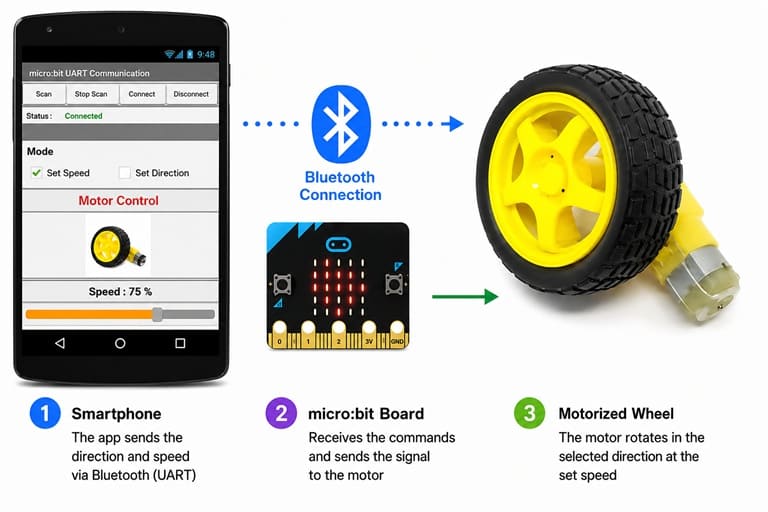
The system operates through wireless Bluetooth communication between the smartphone and the Micro:bit. After pairing the two devices, the user launches the mobile application to send control commands. The Micro:bit receives these commands through its Bluetooth UART service and processes them using a MakeCode program.
Based on the received command, the Micro:bit sends the appropriate control signals to the driver expansion board, which provides the required current and voltage to drive the DC motor. The expansion board acts as an interface between the low-power Micro:bit and the motor, ensuring safe and reliable operation.
The user can:
- start and stop the DC motor.
- rotate the motor clockwise or counterclockwise.
- increase or decrease the motor speed using pulse-width modulation (PWM).
- control the motor remotely without any wired connection.
This project illustrates the practical use of Bluetooth communication, mobile application development, Micro:bit programming, and motor driver technology to create an efficient and user-friendly wireless motor control system. It provides a solid foundation for developing more advanced robotic and automation projects.
Required Components
1. Micro:bit board
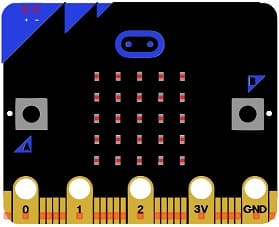
The Micro:bit is a compact programmable microcontroller board that serves as the main controller of the project. It receives Bluetooth commands from the smartphone, processes them using the MakeCode program, and sends the appropriate control signals to the motor driver expansion board.
2. Driver Expansion Board:
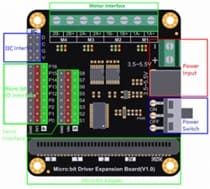
The driver expansion board extends the capabilities of the Micro:bit by providing dedicated motor control outputs and an external power interface. It enables the Micro:bit to safely control DC motors by supplying the current and voltage required for their operation.
3. DC Motor (5 V)
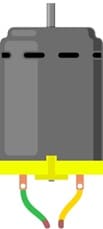
The 5 V DC motor converts electrical energy into mechanical rotation. In this project, its speed and direction of rotation are controlled wirelessly through Bluetooth commands sent from the smartphone.
4. Jumper Wires

Jumper wires are used to make the electrical connections between the Micro:bit, the driver expansion board, the DC motor, and the power supply, ensuring reliable signal and power transmission.
5. External Power Supply (2 × 3.7 V Batteries)
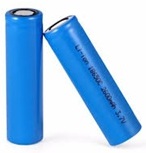
The external power supply, consisting of two 3.7 V rechargeable batteries, powers the driver expansion board and the DC motor. This independent power source ensures that the motor receives sufficient current without overloading the Micro:bit.
Circuit Connections of system
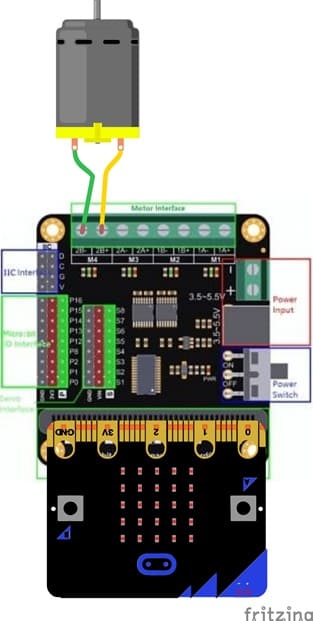
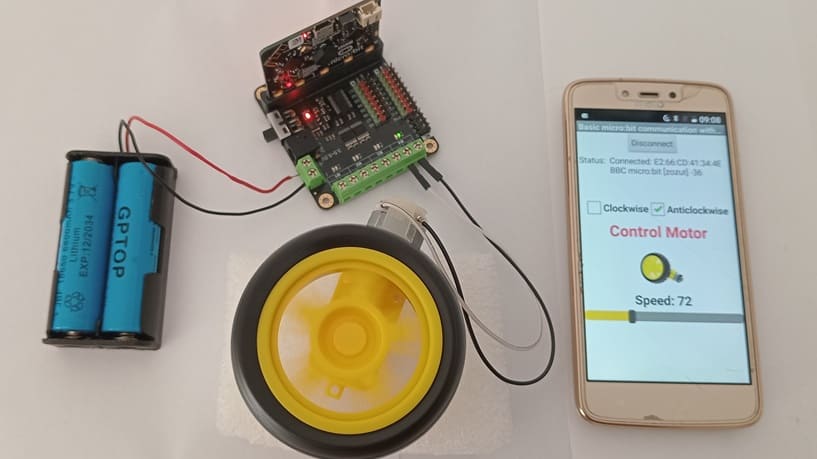
1- Micro:bit to Driver Expansion Board:
Insert the Micro:bit into the Driver Expansion Board’s slot.
This establishes electrical connections between the Micro:bit’s GPIO pins and the motor driver circuit.
2- Driver Expansion Board to Motor:
Connect the motor wires to the designated motor output terminals (e.g., M4+, M4-).
3- Power Supply:
Connect a battery pack (e.g. 2 × 3.7 V Batteries) or an external power source to the power input terminals of the Driver Expansion Board.
Ensure the voltage matches the motor’s specifications and is within the driver’s operating range.
MakeCode Program for the Micro:bit Board
1- Go to Microsoft MakeCode and start a new project.
2- In MakeCode, open the Blocks Editor (https://makecode.microbit.org/).
3- Add the Micro:bit Driver Expansion Board extension:
Look for "Extensions" and click on it.
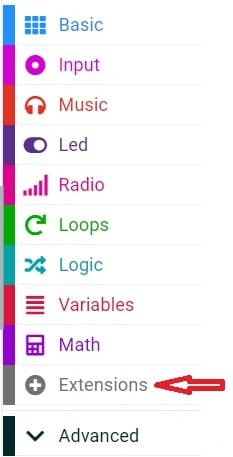
In the search box, insert this link "https://github.com/DFRobot/pxt-motor".
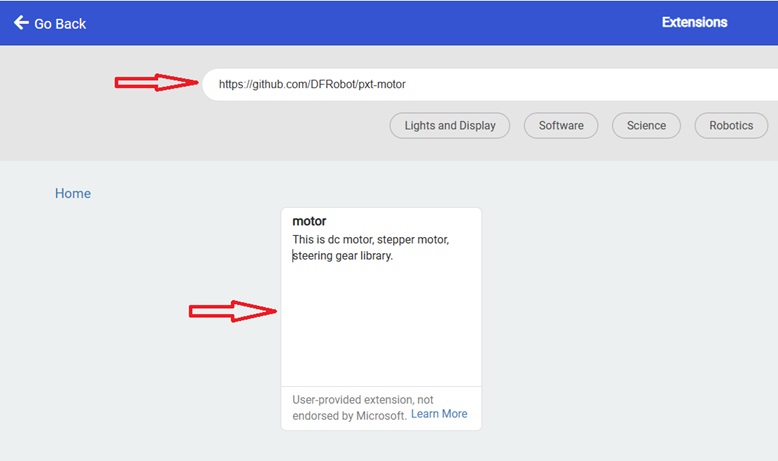
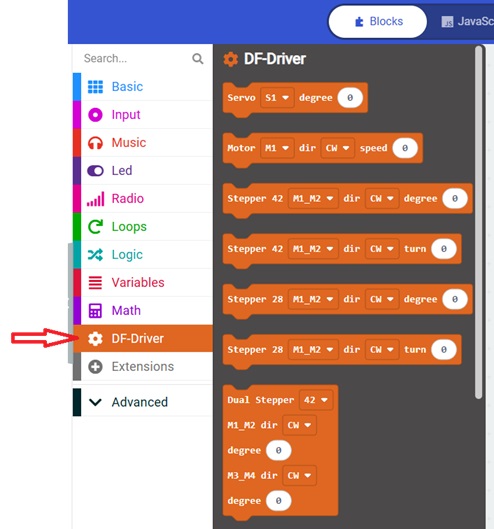
You can now use this blocs to controls the two motors.
4- Add Bluetooth Extension:
Click on the "Extensions" option in the bottom left corner.
Search and add the "Bluetooth" extension by clicking on it.
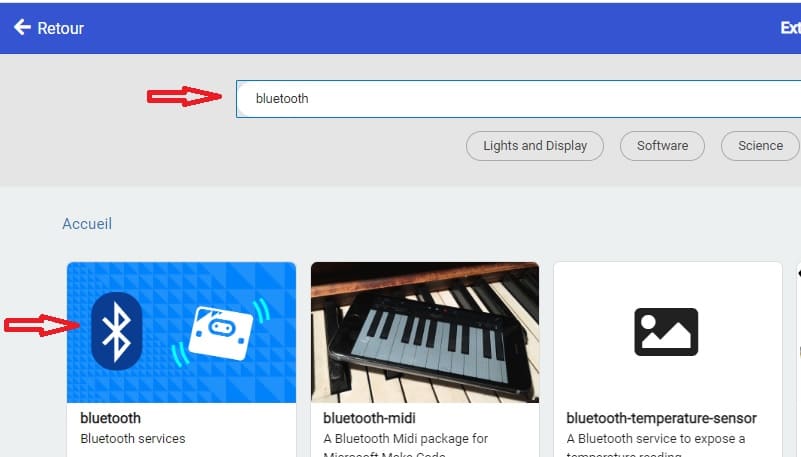
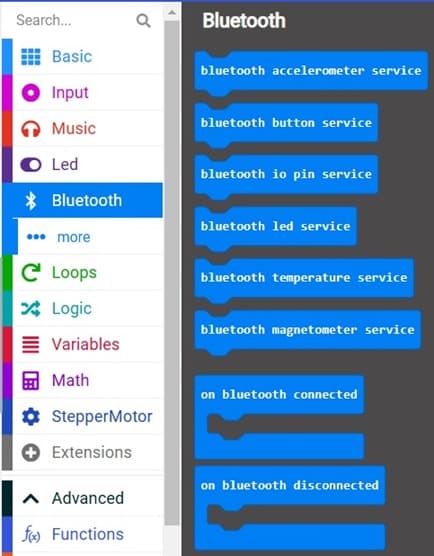
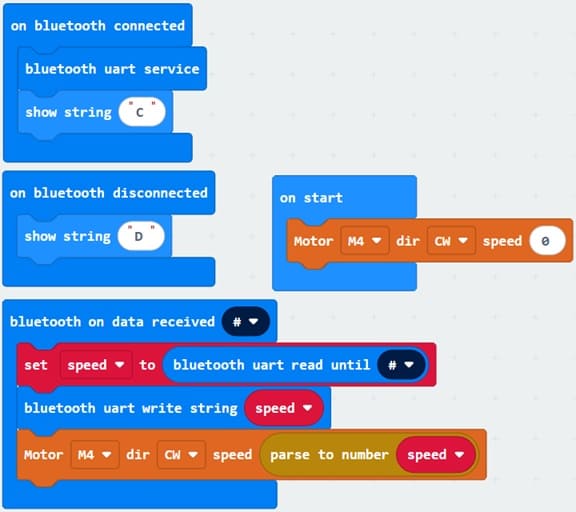
This MakeCode program enables a Micro:bit to receive speed commands from a smartphone via Bluetooth UART and use these commands to control the speed of a DC motor connected to the M4 motor port of the driver expansion board.
Explanation of the program
Motor Initialization
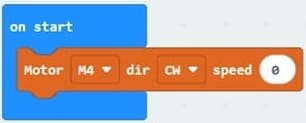
At the beginning of the program, the motor is initialized with a speed of 0, ensuring that it remains stopped when the Micro:bit is powered on. The motor only starts rotating after receiving a valid speed command via Bluetooth.
Bluetooth Connection
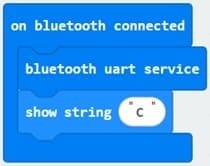
The program begins by monitoring the Bluetooth connection status. When a smartphone successfully connects to the Micro:bit, the UART (Universal Asynchronous Receiver/Transmitter) service is started using bluetooth.startUartService(). This service allows data to be exchanged between the smartphone and the Micro:bit. The letter "C" is displayed on the Micro:bit's LED matrix to indicate that the Bluetooth connection has been established successfully.
Bluetooth Disconnection
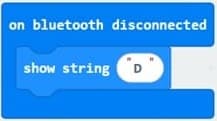
If the Bluetooth connection is interrupted, the program automatically detects the disconnection event and displays the letter "D" on the LED matrix. This provides a visual indication that communication with the smartphone has been lost.
Receiving the Motor Speed

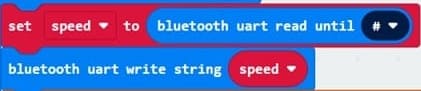
The Micro:bit continuously listens for data sent by the smartphone through the Bluetooth UART service. Each message is terminated by the '#' character, which acts as the end-of-message delimiter.
When a complete message is received, it is stored in the variable speed.
Motor Speed Control

The received text is converted into a numerical value using the parseFloat() function. This value represents the desired motor speed and is passed to the motor.MotorRun() function. The motor connected to port M4 is driven in the clockwise (CW) direction, while its speed is adjusted according to the value received from the smartphone.
The mobile app for controlling the motor
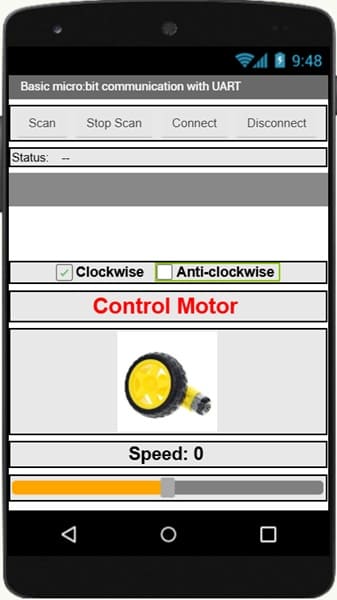
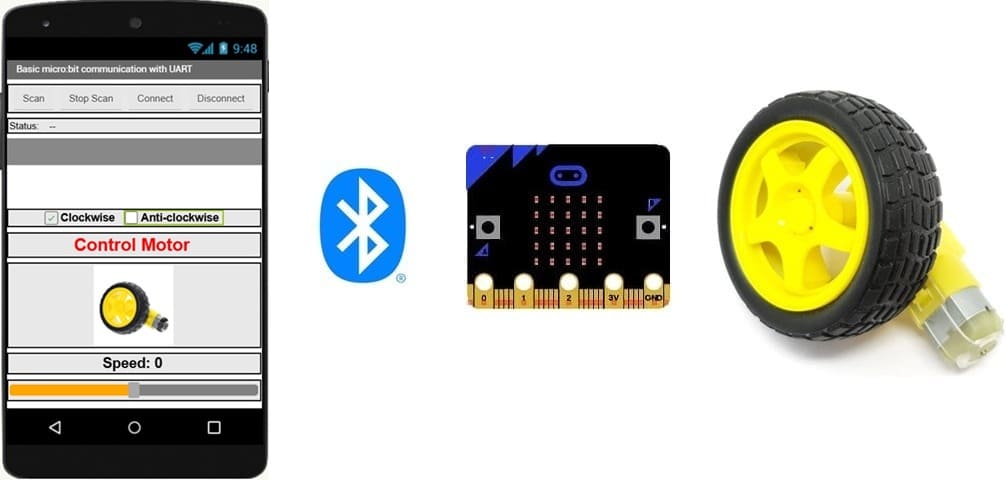
The mobile application acts as a remote control that allows the user to wirelessly control the direction and speed of the DC motor. The commands are transmitted via Bluetooth (UART) to the micro:bit, which processes them and drives the motor accordingly.
More specifically, the application performs the following functions:
1- Establishes a Bluetooth connection with the micro:bit by scanning, connecting, and disconnecting from the device.
2- Sends motor control commands to the micro:bit through Bluetooth UART communication.
3- Controls the direction of rotation of the motor by allowing the user to choose either Clockwise or Anti-clockwise.
4- Adjusts the motor speed using the slider, which sends the desired speed value to the micro:bit.

Passion for robotics

Recent tutorials





Robotics workshop

Polpular tutorials





Making robots

Most commented tutorials




Robotic arm

Categories
Smart Home