Controlling DC Motor via Bluetooth using Arduino UNO and Smartphone
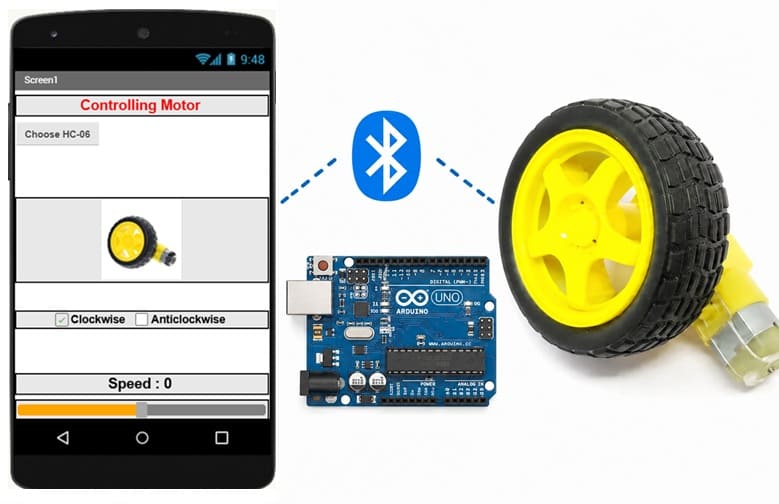
Tutorial plan
1- Objective of the project
2- Required Components
3- Circuit Connections of system
4- Arduino program
5- The mobile app for controlling the motor
Objective of the project
The objective of this project is to control a DC motor wirelessly using a smartphone via a Bluetooth connection. An Arduino UNO receives the commands sent from the smartphone through the HC-06 Bluetooth module and controls the motor's operating state (start/stop), rotation direction, and speed using the L298N motor driver module.
Operation
The system operates as follows:
1- The user launches the mobile application and connects the smartphone to the HC-06 Bluetooth module via Bluetooth.
2- The user controls the motor using the application's buttons or slider.
3- The smartphone sends Bluetooth commands to the HC-06 module.
4- The HC-06 module receives the commands and forwards them to the Arduino UNO through serial communication (UART).
5- The Arduino UNO interprets the received commands and generates the appropriate control signals.
6- The L298N motor driver receives these signals and supplies the required power to the DC motor.
7- According to the received commands, the motor can:
- Start or stop,
- Rotate clockwise or counterclockwise,
- Change its speed using PWM (Pulse Width Modulation).
This wireless control system enables convenient and real-time operation of the DC motor without requiring a physical connection between the smartphone and the Arduino-based control unit.
Required Components
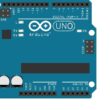
1. Arduino UNO
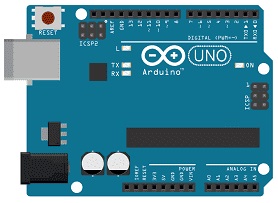
The Arduino UNO is the main controller of the system. It receives Bluetooth commands from the HC-06 module, processes them, and generates the control signals required to operate the DC motor.
2. L298N Motor Driver Module :
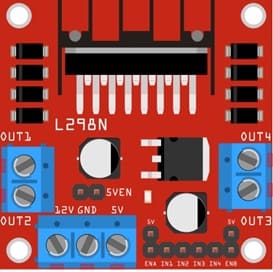
The L298N is a dual H-bridge motor driver that allows the Arduino UNO to control the DC motor. It receives control signals from the Arduino and supplies the required current and voltage to the motor. It controls the motor's start/stop state, rotation direction, and speed using PWM signals.
3. HC-06 Bluetooth module
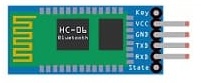
The HC-06 module provides wireless Bluetooth communication between the smartphone and the Arduino UNO. It receives commands from the mobile application and transmits them to the Arduino through serial (UART) communication.
4. DC Motor (5 V)
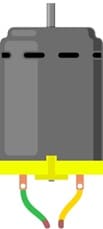
The DC motor converts electrical energy into mechanical rotational motion. Its speed and direction are controlled by the Arduino UNO through the L298N motor driver.
5. Jumper Wires

Jumper wires are used to establish electrical connections between the Arduino UNO, the HC-06 Bluetooth module, the L298N motor driver, the power supplies, and the DC motor. They ensure reliable transmission of power and control signals throughout the system.
6. External Power Supply (9V battery )
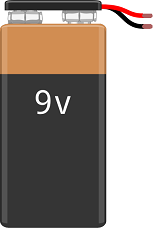
The 9 V battery supplies power to the Arduino UNO, allowing it to execute the control program, process the Bluetooth commands received from the HC-06 module, and generate the control signals for the L298N motor driver. It provides a stable and independent power source for the control circuit.
Circuit Connections of system
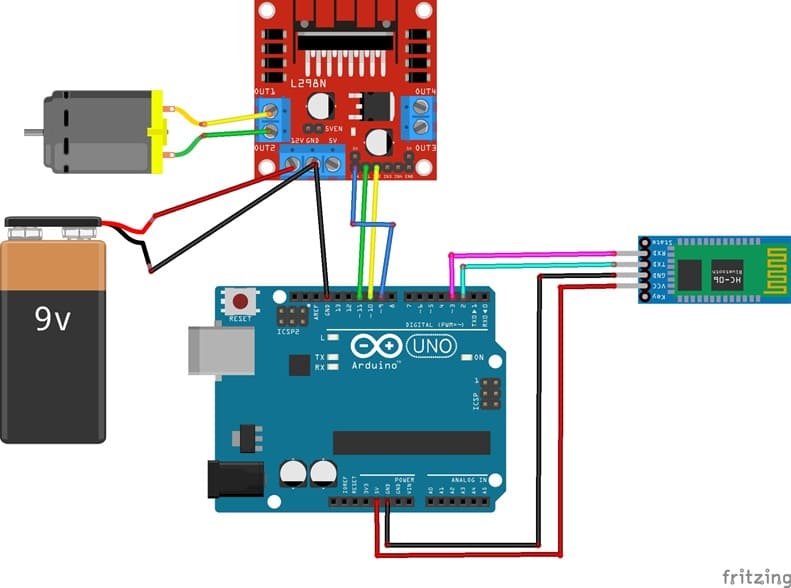
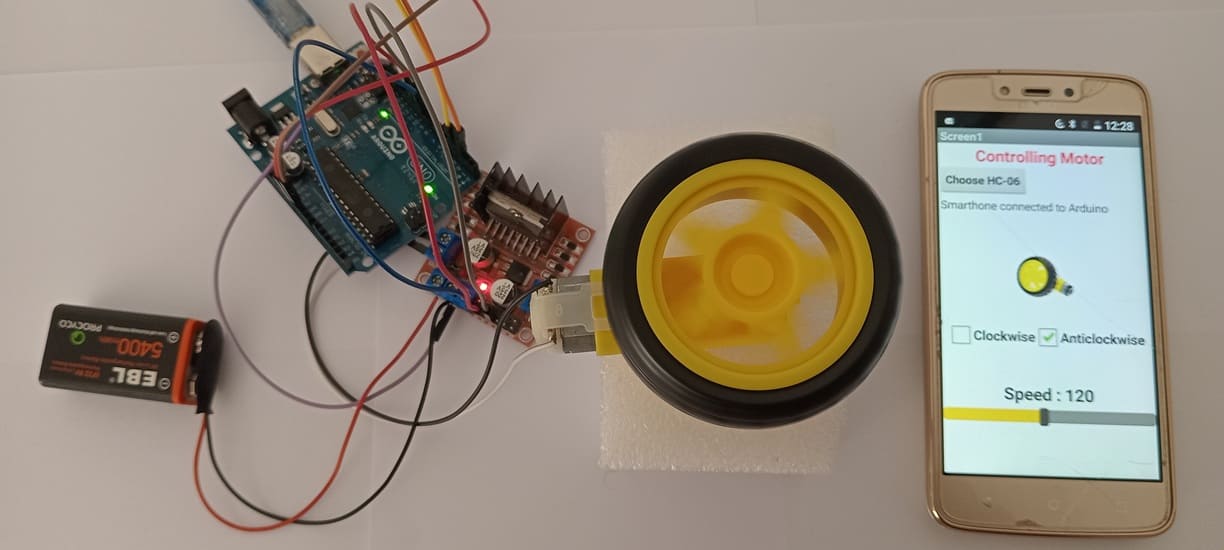
1- L298N to Motor Connections:
OUT1 and OUT2: Connect to the two terminals of Motor.
2- Power Connections:
12V: Connects to the motor power supply (9v battery).
GND: Common ground connection for the motor, Arduino UNO, and power supply.
3- L298N module to Arduino UNO Connections:
ENA is connected to a PWM-enabled digital pin of the Arduino UNO (such as pin D9) to allow speed control of the motor.
IN1 and IN2 are connected to the Arduino Uno digital pins D10 and D11, respectively.
4- HC-06 module to Arduino UNO Connections:
Connect the VCC pin to the Arduino's 5V pin.
Connect the GND pin to the Arduino's GND pin.
Connect the TXD pin to the Arduino's D2 pin.
Connect the TRD pin to the Arduino's D3 pin.
Arduino program
This program is designed to control the speed and direction of a DC motor wirelessly using Bluetooth communication. It enables an Arduino UNO to receive commands sent from a smartphone via the HC-06 Bluetooth module, then process those commands to control a DC motor through the L298N motor driver.
|
1 2 3 4 5 6 7 8 9 10 11 12 13 14 15 16 17 18 19 20 21 22 23 24 25 26 27 28 29 30 31 32 33 34 35 36 37 38 39 40 41 42 43 44 45 46 47 48 49 50 51 52 53 54 55 56 57 58 59 60 61 62 63 64 65 66 67 68 69 70 71 72 73 74 75 76 77 78 79 80 81 82 83 84 85 86 87 88 89 90 91 92 93 94 |
// ========================================================== // Bluetooth DC Motor Speed Control // Arduino UNO + HC-06 Bluetooth Module + L298N Motor Driver // ========================================================== // Include the SoftwareSerial library to create a serial // communication port for the HC-06 Bluetooth module #include <SoftwareSerial.h> // Define the RX and TX pins connected to the HC-06 module // Arduino pin 2 = RX // Arduino pin 3 = TX SoftwareSerial BT(2, 3); // ---------------------------------------------------------- // DC Motor Control Pins // ---------------------------------------------------------- // ENA: PWM pin for motor speed control // IN1 and IN2: Motor rotation direction control int enA = 9; int in1 = 10; int in2 = 11; // Variable used to store the Bluetooth message String message = ""; void setup() { // Initialize serial communication with the PC Serial.begin(9600); // Initialize Bluetooth serial communication BT.begin(9600); // Configure motor control pins as outputs pinMode(enA, OUTPUT); pinMode(in1, OUTPUT); pinMode(in2, OUTPUT); // Display a message in the Serial Monitor Serial.println("Waiting for a Bluetooth message..."); } void loop() { // ---------------------------------------------------------- // Set the motor rotation direction // ---------------------------------------------------------- digitalWrite(in1, HIGH); // IN1 HIGH digitalWrite(in2, LOW); // IN2 LOW -> Forward rotation // Check if Bluetooth data is available while (BT.available()) { // Read one character received via Bluetooth char c = BT.read(); // ---------------------------------------------------------- // Build the received message // ---------------------------------------------------------- // '#' indicates the end of the message if (c == '#') { // Display the complete received message Serial.print("Received message: "); Serial.println(message); // ---------------------------------------------------------- // Convert the received message into a motor speed value // ---------------------------------------------------------- // Copy the received string String message2 = message; // Convert the string to a floating-point number float nombre = message2.toFloat(); // Convert the floating-point value to an integer int vitesse = int(nombre); // Apply the PWM value to control the motor speed analogWrite(enA, vitesse); // Clear the message buffer for the next reception message = ""; } else { // Append the received character to the message message += c; } } } |
More specifically, the program performs the following tasks:
1- Establishes a Bluetooth serial communication link between the smartphone and the Arduino UNO.
2- Receives data (commands) sent from a mobile application.
3- Builds and interprets the received message until a termination character (#) is detected.
4- Converts the received value into a numerical speed (PWM value from 0 to 255).
5- Controls the motor rotation direction using digital signals (IN1 and IN2).
6- Controls the motor speed using PWM on the ENA pin.
7- Continuously listens for new commands to update the motor behavior in real time.
The mobile app for controlling the motor
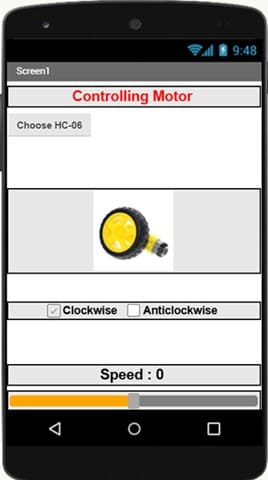
This mobile application is designed to act as a Bluetooth remote control interface for a DC motor system controlled by an Arduino UNO.
Its main role is to allow the user to send control commands wirelessly to the Arduino via the HC-06 Bluetooth module.
How it works:
1- The user first selects and connects to the HC-06 Bluetooth module using the “Choose HC-06” button.
2- The application establishes a Bluetooth communication link with the Arduino system.
3- The user can control the motor using the interface elements:
4- Clockwise / Anticlockwise checkboxes → send direction commands to the motor.
5- Slider (Speed control) → adjusts the motor speed value (0 to 255).
6- The application sends these commands as text data via Bluetooth to the HC-06 module.
7- The Arduino receives the commands and uses them to control:
- Motor direction (via L298N IN1 and IN2 pins)
- Motor speed (via PWM signal on ENA pin)
0 comment
Leave a comment
Passion for robotics

Recent tutorials





Robotics workshop

Polpular tutorials





Making robots

Most commented tutorials




Robotic arm

Categories
Smart Home